Continous Alert Email

I have started getting continous alert email on my new WHM server(which i have setup few days ago, and migrated some clients from old cpanel to here.)
i saw that I have started getting alert email each 5-10 minutes on different subject. Its says the process number has exceeded meanwhile when I checked under the cpanel > Resource usage . it shows all thing normal no any resource usage limit exceed.
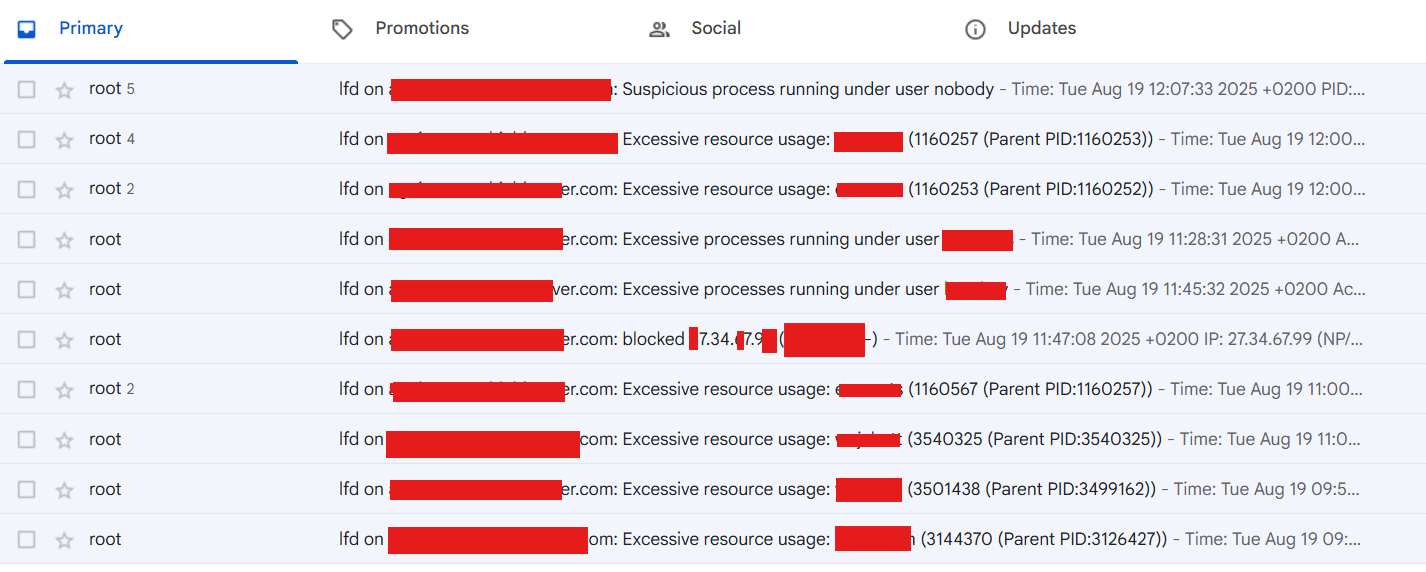
I receive email likes:
Time: Tue Aug 19 11:00:30 2025 +0200
Account: xxxuserxx
Resource: Process Time
Exceeded: 275148 > 1800 (seconds)
and another one like:
Time: Tue Aug 19 09:53:27 2025 +0200
Account: xxuser2
Resource: Process Time
Exceeded: 1825 > 1800 (seconds)
Executable: /opt/cpanel/ea-php81/root/
Command Line: lsphp
PID: 3501438 (Parent PID:3499162)
Killed: No
Account: herodomain
Process Count: 12 (Not killed)
Process Information:
User:herodomain PID:3573160 PPID:3573153 Run Time:3(secs) Memory:142476(kb) RSS:40932(kb) exe:/usr/local/cpanel/libexec/
User:herodomainPID:3573171 PPID:3573170 Run Time:2(secs) Memory:59860(kb) RSS:6608(kb) exe:/usr/local/cpanel/3rdparty
User:herodomainPID:3573172 PPID:3573171 Run Time:2(secs) Memory:60072(kb) RSS:1044(kb) exe:/usr/local/cpanel/3rdparty
Cloudlinux with cagefs enabled.
-
Those messages are produced by LFD - part of the third party ConfigServer Firewall suite which will shortly be end-of-lifed - see https://configserver.com/announcement/ .
These messages are caused because Webalizer web statistics is taking longer than 1800 seconds to process the logs for one of your domains. You have a few options to resolve this:
* Turn off Webalizer statistics for the site (or the whole server). Most people rely on third party statistics systems these days such as Google Analytics , Matomo, Plausible, Clicky etc and so the server ones are never looked at. This can be configured in WHM under Server Configuration->Statistics Software Configuration (Webalizer, Analog and Awstats all do the same thing in just a slightly different way: do you need all or any of them 'Active by default'?)
* Increase the I/O Priority level at which stats logs are processed so they are completed quicker. However, this could slow your server down. See WHM->Tweak Settings->System->I/O priority level at which stats logs are processed
* Change the alert time in CSF. WHM->Plugins->ConfigServer Security & Firewall->Configuration-> PT_USERTIME
* Add an exception for Webalizer in CSF. WHM->Plugins->ConfigServer Security & Firewall->lfd - Login Failure Daemon-> third option (Edit lfd ignore file) select file "csf.pignore, Process Tracking" and add the the executable line such as:
exe:/usr/local/cpanel/3rdparty/bin/english/webalizer
(it's worth reviewing that file as it has a lot of common "You should probably add these exceptions on a cPanel server" entries commented out)
Hope it helps!
0 -
Thank you for help. rbairwell
Do you have idea about how do I turn it off ? :
Time: Wed Aug 20 13:49:04 2025 +0200
Account: user2xxx
Resource: Process Time
Exceeded: 1807 > 1800 (seconds)
Executable: /usr/bin/bash
Command Line: -bash
PID: 207150 (Parent PID:207149)
Killed: NoIs this even important notice to be received? I am already using cloudlinux for account isolation and resource limit.
0 -
Hey there! To disable them, you can modify the values in the configuration file. To do this, edit `/etc/csf/csf.conf` or use WHM: ConfigServer Security & Firewall → CSF → csf - ConfigServer Firewall → Firewall Configuration. Change the value of `PT_LIMIT to `0` and then restart CSF.
Since you’re using CloudLinux, you probably don’t need CSF process time alerts at all: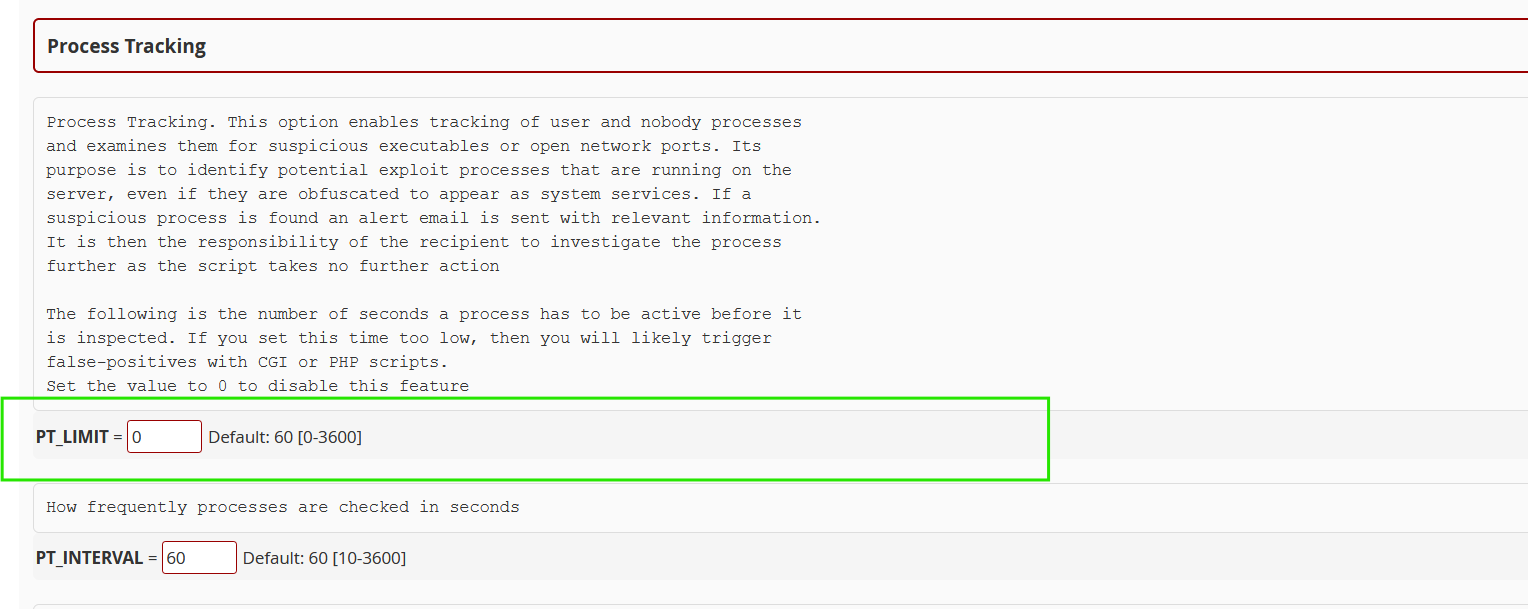 0
0
Please sign in to leave a comment.
Comments
3 comments