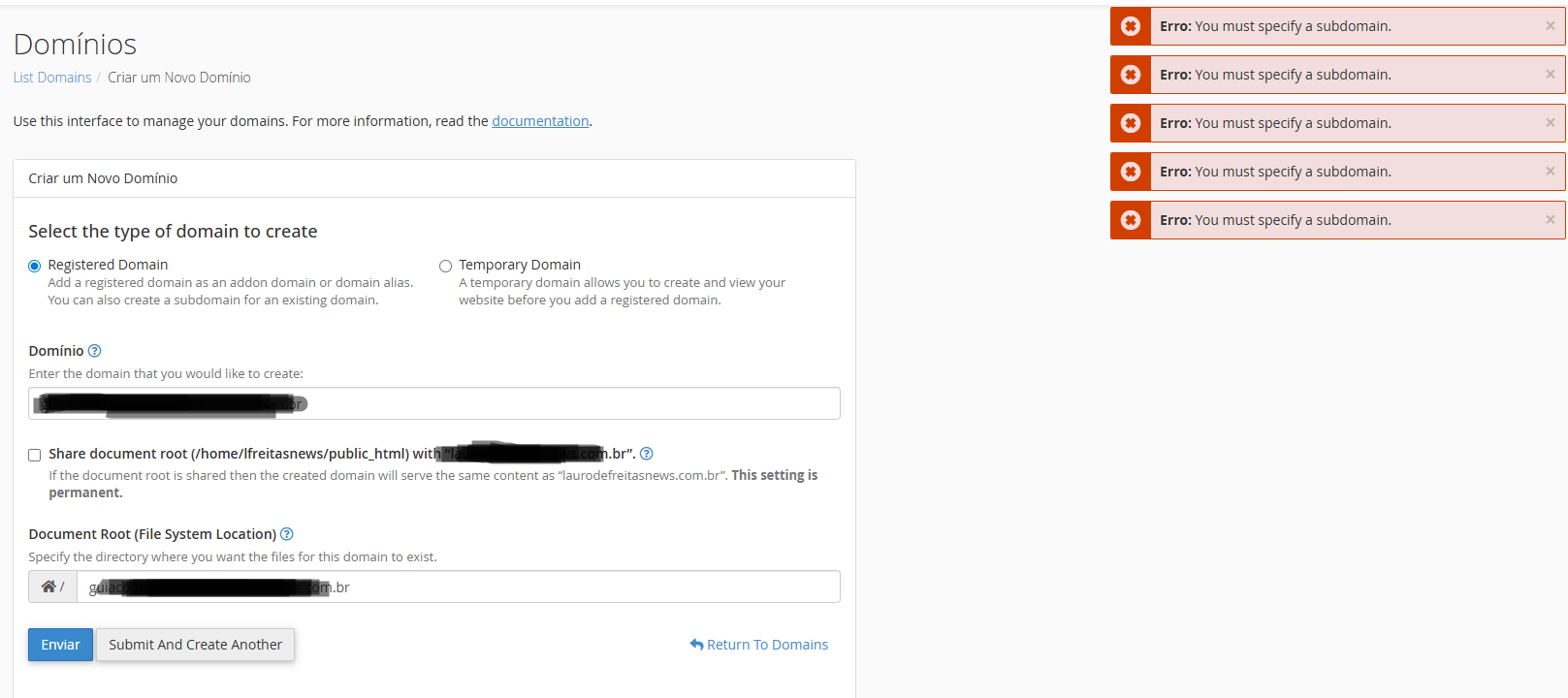
Error: You must specify a subdomain.
Answered
-
Hi,
I don't know if you managed to sort the error or not. But few days ago, I faced the same issue, and I was able to solve it by updating cPanel.
In case you used any other option apart from the one I just shared please let us (community) know.
-1 -
I've been having the same problem for over a week and I can't solve it. Could someone help, or does anyone already have a solution?
0 -

Quintanilha-RJ - do you see anything in the cPanel error log (/usr/local/cpanel/logs/error_log) while you perform that action?
0 -
There are no errors related to creating a subdomain. When creating a subdomain, I get the following error: Error: You must specify a subdomain.
What I noticed is that when creating a subdomain, a dialog box used to appear asking to select the domain we were creating, but that's no longer happening.
 0
0 -
Is your system using CloudLinux with CageFS? If so, can you try removing the user from CageFS and see if the problem still happens?
0 -
Yes, I have removed the domain from CageFS, but the error persists. Do you have any other suggestions as to what might be causing this?
0 -
Crazy idea, but are you copy and pasting the domain information into that field, instead of manually typing it?
0 -
I thought of that crazy idea too, but while typing and copying, it gives the same error. It used to show the option to confirm the typed domain after filling in the desired subdomain, but now it no longer appears for confirmation.
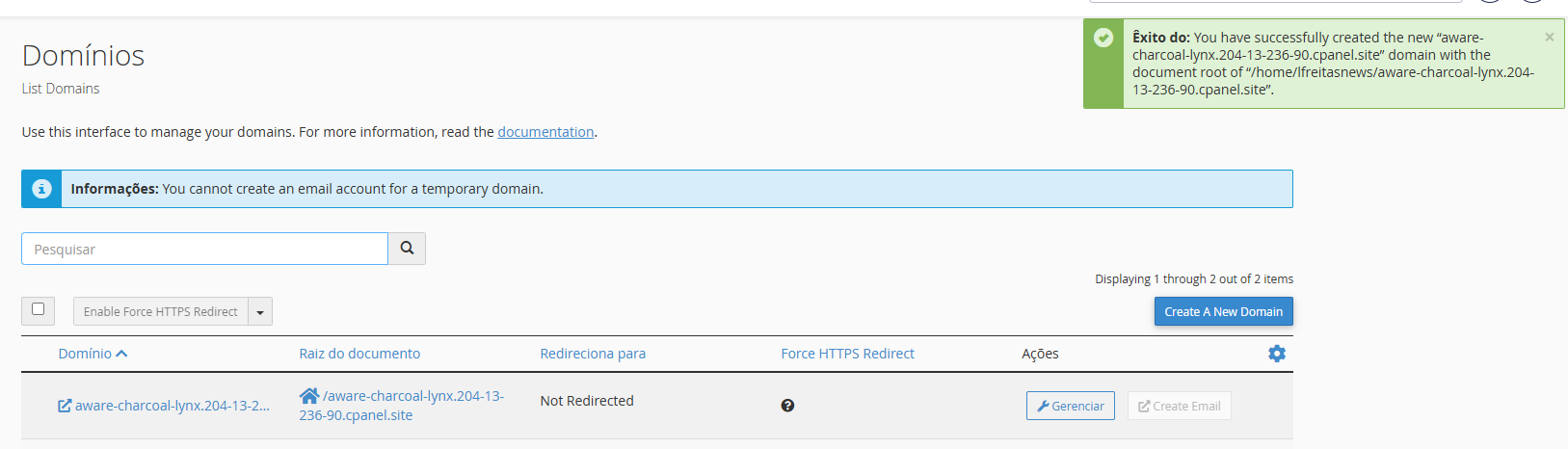
Now the temporary domain is created successfully.
 0
0 -
So things are working normally on the account at this time?
0 -
I solved the problem by updating my control panel to version 132.0.16 of cPanel. I believe what may have happened was a bug in the update from the previous version.0 -
Glad to hear things are working well now!
0
Please sign in to leave a comment.
Comments
11 comments