Installing PHP PECL "imagick" fails on PHP 8.3
Answered
cPanel Version
116.0.7
Home / Software / Module Installers / PHP PECL
In /root/tmp/pear/imagick/Imagick.stub.php:
Unterminated preprocessor conditions
make: *** [Makefile:196: /root/tmp/pear/imagick/Imagick_arginfo.h] Error 1
ERROR: `make INSTALL_ROOT="/root/tmp/pear/pear-build-rootAsncgZ/install-imagick-3.7.0" install' failed
-
Any updates on this? From reading, it is resolved on the main branch. Is there some way cPanel can push a tagged version for PHP 8.3.
0 -
Yes, the main issue is resolved but not updated for use. So I guess I'll stay with PHP8.2 for time being.
0 -

It's important to not that cPanel doesn't create a custom version of this package for the PECL installer, as the Module Installer interface pulls directly from pecl.php.net as to whats available. If it's available out there, it will be available in the interface, but I'm not seeing a recent update here:
0 -
Anyone seen anything new?
I still see make errors
1 -
Just found this update from a week ago: https://github.com/Imagick/imagick/issues/640#issuecomment-2749592625 So it seems the solution is on it's way
0 -
Just a quick update. I have successfully installed Imagick on PHP 8.3 without encountering any issues.
It appears that the previous compatibility problems may have been resolved.For reference, I’ve attached the installation log and a screenshot demonstrating the successful installation.
Build process completed successfully
Installing '/opt/cpanel/ea-php83/root/usr/lib64/php/modules/imagick.so'
Installing '/opt/cpanel/ea-php83/root/usr/include/php/ext/imagick/php_imagick_shared.h'
install ok: channel://pecl.php.net/imagick-3.8.0
Extension imagick enabled in php.ini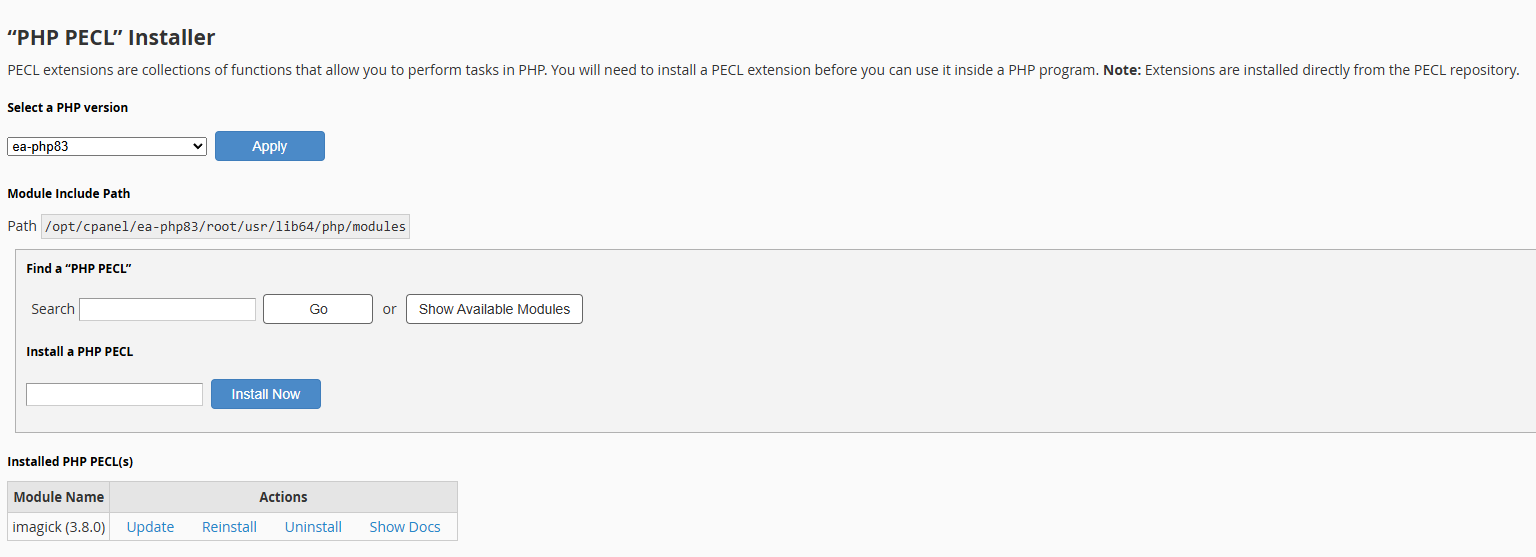 1
1 -
Michel - nice!!
0 -
I still to this day get this error when trying the pecl installation and for 8.3 and only 8.3
Build complete.
Don't forget to run 'make test'.running: make INSTALL_ROOT="/root/tmp/pear/pear-build-rootlzZj5o/install-imagick-3.7.0" install
Parse /root/tmp/pear/imagick/ImagickDraw.stub.php to generate /root/tmp/pear/imagick/ImagickDraw_arginfo.h
make: *** [Makefile:200: /root/tmp/pear/imagick/ImagickDraw_arginfo.h] Error 255
ERROR: `make INSTALL_ROOT="/root/tmp/pear/pear-build-rootlzZj5o/install-imagick-3.7.0" install' failedSo Not sure, I got cPanel latest 134.0.12 on Cloudlinux v9.7 with ea extension enabled, I do not want to deviate with some custom code.
0 -
Steini Petur - I'm not able to reproduce this on a CloudLinux 9 system. I created a new server, set the PHP version to 8.3 in WHM >> MultiPHP Manager, and then used the PHP Pecl tool to install Imagick without an issue:
Build process completed successfully
Installing '/opt/cpanel/ea-php83/root/usr/lib64/php/modules/igbinary.so'
Installing '/opt/cpanel/ea-php83/root/usr/include/php/ext/igbinary/src/php7/igbinary.h'
Installing '/opt/cpanel/ea-php83/root/usr/include/php/ext/igbinary/src/php7/php_igbinary.h'
Installing '/opt/cpanel/ea-php83/root/usr/include/php/ext/igbinary/igbinary.h'
Installing '/opt/cpanel/ea-php83/root/usr/include/php/ext/igbinary/php_igbinary.h'
install ok: channel://pecl.php.net/igbinary-3.2.17RC1
Extension igbinary enabled in php.ini
Can you create a ticket so this can be investigated?
0 -
Hi cPRex I think I will because this is applying to haphazardly, Askja fails, Keilir works
Keilir 9.7 Cloudlinux
Build process completed successfully
ERROR: Extension 'imagick' already loaded. Please unload it in your php.ini file prior to install or upgrade
AskjaBuild complete.
Don't forget to run 'make test'.running: make INSTALL_ROOT="/root/tmp/pear/pear-build-rootFMRiWp/install-imagick-3.8.1" install
Parse /root/tmp/pear/imagick/ImagickDraw.stub.php to generate /root/tmp/pear/imagick/ImagickDraw_arginfo.h
make: *** [Makefile:200: /root/tmp/pear/imagick/ImagickDraw_arginfo.h] Error 255
ERROR: `make INSTALL_ROOT="/root/tmp/pear/pear-build-rootFMRiWp/install-imagick-3.8.1" install' failed
[root@askja ~]#Im submitting a support to see if they can fix this and tell me what it was because i have a feeling few others have run into this one.
0 -
Turned out my SED replacement didn't take even though it should, the cPanel support said i had "disable_functions" set which i swear my SED replace should have taken care of, so I didnt bother check that thinking im 100% ive done it across the board so many times
Removed the exec and voila imagick can be installed, then disable_functions back to normal.
0 -
I'm glad to hear it was a simple fix!
0
Please sign in to leave a comment.
Comments
42 comments