increased server load in last two weeks

Hello,
We have cPanel&WHM 128.0.21 on AlmaLinux 8 platform.
Last two weeks server load is constantly increasing.
We have 24GB RAM, 2CPU.
Server load is constantly
load average: 4.12, 4.08, 3.94
When I use top I see
523359 skolska+ 20 0 501028 54660 41512 R 70.6 0.2 0:00.23 php-cgi
skolska iz our user
How can I see on linux what is the exact process? What can I do?
Best regards,
Elizabeta
-

I suppose this goes hand in hand with your other post about the backup where I recommended checking the server load instead :)
The output from your "top" command shows that user skolska is using PHP resources. The main thing you'd want to check is to see how long those processes run. If they only exists for a few seconds before the PID changes, that just seems like normal activity to me. If these are running for a long time that would most likely indicate a problem with the PHP pages on the site.
Is there anything else that consistently stays near the top of "top" that could indicate an issue?
0 -
Hello,
Thank you for your answer. Right now, load is ok 0.06 0.21 0.30.
Last night load was high. I have noticed that in that time in logs for user skolska
more /var/log/apache2/domlogs/skolska/skolska.ba-ssl_log
178.128.113.5 - - [14/Sep/2025:06:38:55 +0200] "POST //wp-login.php HTTP/1.1" 200 11210 "www.***********//wp-login.php"
There is form on web page of user skolska
We have blocked IP address 178.128.113.5..
There are always one or two process in top command, which causes increase of CPU..The process is short-lived but always a new process begins.
Best regards,
Elizabeta0 -
Thanks for the additional details. If the issue is always related to access to the wp-login page we have some details outlining various ways you can prevent that here: https://support.cpanel.net/hc/en-us/articles/360052126013-Handling-WordPress-Brute-Force-Attacks
0 -
Hello cPRex,
Thank you for your mail. I read the link you sent.
"One recommendation with Apache is that you should go ahead and place the following code in the website .htaccess file that doesn't point the error page to WordPress (this can be either 401 or 403 depending on whether you use password or IP based blocking or other). This prevents the overload caused by the entire WordPress code being run each time a failed request is made.
ErrorDocument 401 Access Denied
ErrorDocument 403 Permission Denied "Does this mean that the user makes these changes in their .htaccess file to protect themselves from Brute Force Attacks?
I have noticed also this line
34.83.237.119 - - [16/Sep/2025:15:20:40 +0200] "POST //xmlrpc.php HTTP/1.1" 200 409 "-" "Mozilla/5.0 (Windows NT 10.0; Win64; x64) AppleWebKit/537.36 (KHTML, like Gecko) Chrome/88.0.4240.193 Safari/537.36" in /var/log/apache2/domlogs/skolska/***.ba-ssl_log
Yesterday, I have blocked this IP address 34.83.237.119 in firewall and load is now ok.
Best regards,
Elizabeta0 -
Blocking the IP is always the best course of action if you have that option - that prevents the user from connecting to any services on the machine.
The .htaccess changes restrict who is able to access that specific file on a domain - it wouldn't help with a large DoS as the server still has to process the traffic, but it would send the user an error and that processes much faster than loading a full page of content.
0 -
Hello,
Thank you for your email. To prevent large DoS is there any tools on cPanel?
We use cPHulk Brute Force Protection but it is not protect for http traffic.
Do you recomend us to use ModSecurity ? We see that this is enabled but this ModSecurity vendor OWASP ModSecurity Core Rule Set V3.0 is not installed.
BR,
Elizabeta0 -
There is not, because if the DoS is that large it's going to be too much for any software tool to handle it. You would want to be looking at a dedicated firewall solution for larger attacks.
I do recommend that users run ModSecurity, although that's different than DoS prevention as it's a web application firewall, not a firewall for consistently heavy network traffic.
0 -
Hello,
When the load on the server increases, we noticed that it is always due to one user skolska.
So, you recommend to us that users run ModSecurity?
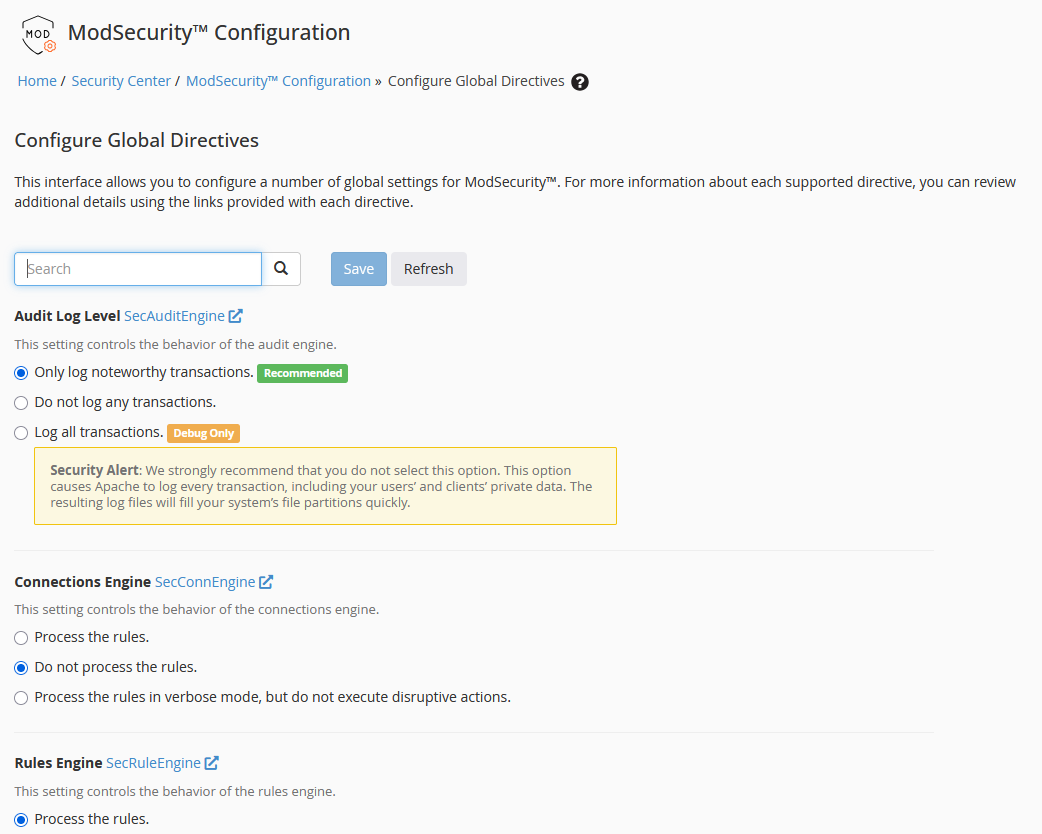
When we connect to user cPanel intarface that ModSecurity doesn´t exist..
How can we enable the ability for our user to use modsecurity?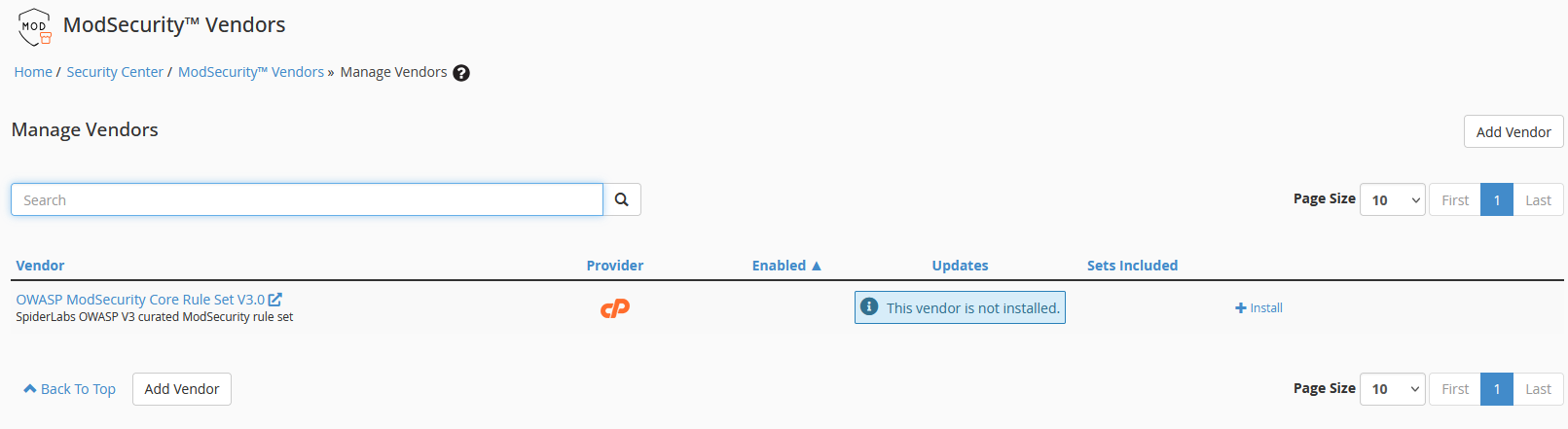
 0
0 -
ModSecurity isn't something the user would see in their own control panel as that is managed at the root level. It's not something that gets enabled per-user as it is active at the webserver level for all domains.
0 -
Do you recommend that we install ModSecurity at the server level?
I must first install OWASP V3 curated ModSecurity rule set....If we install ModSecurity, will it have any impact on server performance? What are the advantages and disadvantages?
Best regards,
Elizabeta0 -
Yes, I'd definitely recommend it. Here are some additional details that should answer those questions for you, but let me know if you run into anything specific:
0
Please sign in to leave a comment.
Comments
11 comments