Auto delete email based on blacklist

By default if i add an email id to Spam assassin blacklist , the email will get marked as SPAM but will still come to me.
THis works alright for most cases specially when it is set to auto delete.
However when it is not set to auto delete. What i want to do is put some form of GLOBAL EMAIL FILTER - How can i add an entry over there that for entries in the spam blacklist " Domains specifically added to blacl list " i want them to directly be discarded instead of marked as SPAM.
Do not want to set a rule that everything marked as SPAM is auto deleted. Only those which are specifically added by me in blacklist should get auto deleted.
Thanks and Regards
Manish
-
Hello,
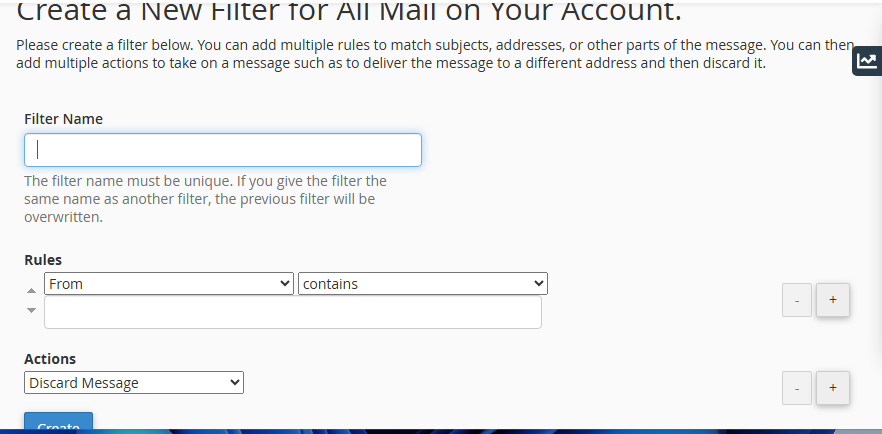
Can you try with the Global Email Filters to discard emails, as shown below. Mention the from with your email id or domain
 0
0 -
Yes i am absolutely aware of that screen and that was not my question . what i want to do is avoid duplication of putting the entire ( large list ) on this new screen one by one.
Please let me know if there is any option to bulk upload a mail ids list for discard . Any specific file that canbe edited for this purpose0 -
Hi,
Unfortunately, there doesn’t appear to be a built-in method for mass importing a list of addresses into an email filter. Aside from enabling the “Automatically Delete New Spam” option, which would delete all messages flagged by SpamAssassin, there isn’t a one-step solution to ensure blacklisted email gets discarded.
An alternative would be to create a custom Exim system filter that includes your blacklist entries. However, this approach involves advanced customization and may require implementation by a system administrator.
For reference, here’s the official documentation on customizing the Exim system filter:
https://docs.cpanel.net/knowledge-base/email/how-to-customize-the-exim-system-filter-file/
0
Please sign in to leave a comment.
Comments
3 comments