WHM fails after upgrading from 130.0.16 to 132.0.9 on AlmaLinux 9.7

Hi,
I recently attempted to upgrade from cPanel 130.0.16 to 132.0.9 on an AlmaLinux 9.7 server, and WHM/cPanel stopped working immediately after the update attempt.
During the upgrade, the system reported that the update to 132 had failed, but I didn’t have the chance to review the full update log.
Right after the failure:
-
WHM and cPanel were no longer accessible
-
However, all websites continued working normally
-
Email and other services also stayed online
After that, I rebooted the VPS — and WHM never came back.
Here are the symptoms now:
-
cpanel.servicefails with exit code 127 -
WHM ports 2087/2086 do not respond
-
/usr/local/cpanel/scripts/check_cpanel_rpmsis missing -
upcp,upcp.static, andupdatenowall fail -
updatenowexits with code 2 -
Perl module
JSON::XSis missing for Perl 5.36 -
cPanel tries to load Perl 5.42 modules, causing an API mismatch
Example error:
Can't locate JSON/XS.pm in @INC
Perl API version v5.42.0 does not match v5.36.0
So in summary:
-
130.0.16 was working fine
-
Upgrade to 132.0.9 failed
-
WHM/cPanel became inaccessible immediately after the failed update
-
Websites still worked
-
After rebooting, nothing in WHM works anymore
Has anyone experienced similar behavior when upgrading from 130 to 132 on AlmaLinux 9.7?
Is there a known compatibility or dependency issue that could cause WHM to completely fail after a partial update?
Any insight would be greatly appreciated.
-
happened earlier to me. whm failed but sites work.
run this in ssh and it will fix the issue. kEEP me posted.
copy it all and paste it all at once and hit enter
yum groupinstall -y "Development Tools" && \
curl -L https://cpanmin.us | /usr/local/cpanel/3rdparty/bin/perl - App::cpanminus && \
/usr/local/cpanel/bin/cpanm JSON::XS Try::Tiny Cpanel::JSON && \
/usr/local/cpanel/scripts/check_cpanel_pkgs --fix && \
/usr/local/cpanel/scripts/upcp --force0 -
also /usr/local/cpanel/scripts/check_cpanel_rpms was deprecated many versions ago
0 -
Thanks for the additional suggestions.
I checked further and found more concrete information about what is failing.After reviewing the cPanel Perl environment, it looks like the issue is not limited to
JSON::XS.
The cPanel internal Perl 5.36 installation is missing at least one critical compiled XS module.When checking the directory:
/usr/local/cpanel/3rdparty/perl/536/cpanel-lib/x86_64-linux/auto/Proc/FastSpawnI found that the directory exists but is completely empty:
total 0However,
cpsrvdrequires the following library:FastSpawn.soAnd when
cpanel.servicetries to start, it fails with:error while loading shared libraries: /usr/local/cpanel/3rdparty/perl/536/cpanel-lib/x86_64-linux/auto/Proc/FastSpawn/FastSpawn.so: cannot open shared object file: No such file or directoryThis confirms that at least one part of the internal cPanel Perl runtime (5.36) was left incomplete or corrupted during the failed upgrade from 130.0.16 → 132.0.9.
Before the reboot, WHM was already not accessible, but sites still loaded normally.
After rebooting the VPS, WHM cannot start at all due to the missing XS module.So in summary:
-
JSON::XSwas already failing with an API mismatch (5.42 vs 5.36) -
Proc::FastSpawn(FastSpawn.so) is completely missing -
restartsrv_cpsrvdcannot load required Perl shared objects -
cpanel.servicefails immediately with exit code 127 -
This appears to be a partial/failed upgrade leaving Perl modules and XS libraries incomplete
Based on this, it looks like a deeper issue than just reinstalling JSON::XS, because missing XS libraries (
FastSpawn.so) cannot be replaced with CPAN modules and require the correct cPanel-provided binaries.If anyone has seen this behavior specifically with upgrades from 130 → 132 on AlmaLinux 9, or knows whether this corresponds to a known problem in the cPanel 132 build process, I would appreciate any insight.
0 -
-
dang so what u ran that i gave u didnt work?
I guess it depends per system... hmm.something is off with 130 to 132 upgrade for sure... cause u and i both had same exact issue almost.
try running what i gave u first.
0 -
it was deleted i think so
0 -
**Update and Additional Diagnostic Info**

Following my initial post, I’ve attempted several recovery steps with no success. Here’s a detailed log of everything tried so far:

### 1. **Diagnosed the core problem more precisely**
- Perl environment is corrupted: mixed `/usr/local/cpanel/3rdparty/perl/536` and `/542` paths.
- Critical Perl modules missing: `FastSpawn.so`, `JSON::XS`.
- `cpanel.service` fails with `status=127`.
- `upcp --force` aborts with Perl API mismatch errors.

### 2. **Attempted forced reinstall (multiple variations)**
./latest --force
./latest --force --skip-warnings
./latest --force --experimental-os=almalinux-9.7
./latest --force --tier=130
./latest --force --skip-cloudlinux --skip-imunifyav --skip-wptoolkittext**Result**: All fail at the same point: > "The installation process found evidence that the following control panels were installed on this server: cPanel & WHM. You must install cPanel & WHM on a clean server." ### 3. **Tried YUM/repository methods** - Created repo files for `current`, `130`, `11.130.0.16`. - All return **404** or **timeout** from `httpupdate.cpanel.net` and `mirror.cpanel.net`. - Repositories appear unavailable or overloaded. ### 4. **Manual RPM download attempts** - Tried fetching `cpanel-11.130.0.16.el9.x86_64.rpm` from various mirrors. - Most URLs 404; the few that respond time out during download. ### 5. **"Clean server" tricks** - Removed `/etc/cpinstall.conf`, `/etc/cpanel_install*.txt` - Moved `/usr/local/cpanel` to backup location - Created minimal directory structure - Installer **still** detects cPanel remnants and refuses. ### 6. **Official repair scripts unavailable** - `fixeverything.pl` → **404** from both GitHub raw and cPanel mirrors. - `installperl` script → missing from the corrupted installation. - `setemailpassword` → missing. ### 7. **Current workaround (partial success)** - **Dovecot** and **Exim** are running (mail services functional). - Manually recreated email authentication files to restore email access. - Apache must be started manually (`/usr/local/apache/bin/apachectl start`). - WHM/cPanel remains completely dead. ### **Critical Questions for cPanel Staff**: 1. Is there a **known issue** with the 130→132 update path on AlmaLinux 9.7? 2. Are the **public mirrors currently down** or overloaded? (All attempts to download repair RPMs fail.) 3. Is there an **official emergency repair tarball or script** that can be downloaded directly? 4. What is the **recommended recovery procedure** when the installer persistently rejects reinstalling over a corrupted installation? ### **Temporary needs**: - A way to **reinstall/repair cPanel without touching `/home` and `/var`** (websites and databases are intact). - Or at least a method to **restore the Perl environment** (`FastSpawn.so`, `JSON::XS`, etc.) so `upcp` can run. **Host support** (HostGator MX) only operates weekdays, so weekend recovery depends on community or cPanel direct assistance. Any guidance or official response would be greatly appreciated.
0 -
This is NOT a criticism of cPanel, but since we can only set things from RELEASE to STABLE to avoid WHM 132 updates presently, and since upgrade issues are still being reported, I sure hope that cPanel would not STABLE to 132 without notifying us of the pending change at least 1 business day before.
Last thing I want to do is wake up on a Sat/Sun to alerts because my machines on STABLE were updated to 132 and something didn' go right.
Just a suggestion.
0 -
Hello everyone, I had the same problem when upgrading from version 130.0.16 to version 132.0.9.
The upgrade went up to 17% and there an error occurred. After that Whm was not available. Same as in previous posts from users.
Fortunately, I made a snapshot through the provider's cpanel and was able to do a restore.
I'm sure something is wrong with this new update 132.0.9.
I don't see any solutions for now.I use AlmaLinux v9.7.0 STANDARD kvm
1 -
run
yum groupinstall -y "Development Tools" && \
curl -L https://cpanmin.us | /usr/local/cpanel/3rdparty/bin/perl - App::cpanminus && \
/usr/local/cpanel/bin/cpanm JSON::XS Try::Tiny Cpanel::JSON && \
/usr/local/cpanel/scripts/check_cpanel_pkgs --fix && \
/usr/local/cpanel/scripts/upcp --force0 -
If you wat to prevent cPanel automatic updates open file /etc/cpupdate.conf, and change line:
UPDATES=daily
to
UPDATES=manual1 -
hi all
i have same problem but i manage to fix it by running:
/usr/local/cpanel/scripts/check_cpanel_pkgs --fix
and restart the cPanel service once the script finishes to ensure the changes take effect:
/scripts/restartsrv_cpsrvdhope this help.
3 -
thnks Sys Neuviz it works!
0 -
We saw the same issue on a couple of servers over the weekend, one running Alma 9 and the other running CloudLinux 9 so there is definitely something in the new cPanel update package that is breaking/removing Perl modules that cPanel needs to run.
As above, we fixed it by running:
/scripts/check_cpanel_pkgs
And then also had to run the following as WHM still wouldn't load:
/scripts/update-packages
0 -
The solution provided by Neuviz works and fixes a broken upgrade from 130.0.16 --> 132.0.9 by reverting things back to 130.0.16. But you will need to reboot to fully bring everything back online.
/usr/local/cpanel/scripts/check_cpanel_pkgs --fix
reboot
Afterwards, I was able to get into WHM and set the update preference to "STABLE". This is a disaster on cPanel's part (actually WebPros since they bought cPanel) and stuff like this should have been well tested as that's what RELEASE is supposed to be.
0 -

Hey everyone! There's a lot of info in this thread, but I would like to say it is never required to reboot a system for cPanel updates.
The most likely explanation for this behavior is the following issue:
which would explain the OP's Perl issue.
If that doesn't take care of the issue for anyone, let me know. As always, if you're experiencing a critical issue such as the service not working, a ticket will be the fastest response as I typically only check the Forums during working hours in the US on weekdays.
1 -
Thanks cPRex - that workaround partially worked. I also had to remove libreswan to resolve this error in order for the update to complete:
[2025-12-08 20:24:29 +0000]   Testing RPM transaction
[2025-12-08 20:24:29 +0000]     libldns.so.3()(64bit) is needed by (installed) libreswan-4.15-8.el9.x86_64
[2025-12-08 20:24:29 +0000] W Exit Code: 94
[2025-12-08 20:24:29 +0000] ***** FATAL: Test install failed: error: Failed dependencies:
[2025-12-08 20:24:29 +0000]     libldns.so.3()(64bit) is needed by (installed) libreswan-4.15-8.el9.x86_64
[2025-12-08 20:24:29 +0000]   The Administrator will be notified to review this output when this script completes
[2025-12-08 20:24:29 +0000] ***** FATAL: Error testing if the packages will install: Test install failed: error: Failed dependencies:
[2025-12-08 20:24:29 +0000]     libldns.so.3()(64bit) is needed by (installed) libreswan-4.15-8.el9.x86_64
[2025-12-08 20:24:29 +0000]   see https://go.cpanel.net/rpmcheckfailed for more information
0 -
That could be a thing, although I'm not seeing that package on a default cPanel test installation on AlmaLinux 8, so it may be something that was installed as a dependency of another tool.
1 -
We have the same error at a CloudLinux 9 System, after automatic cPanel Upgrade from 130.0.16 to 132.0.9 has started. The update stops with errors and has break all services!
We have fixed it with these steps:/usr/local/cpanel/scripts/check_cpanel_pkgs --fix
and
reboot
have fixed the problem. We have now set the update from release to stable in hope that cpanel fix this error bevore release it.
2 -
we also had same issue today and whole server was broken. Customers were raging.
We noticed we were also on release tier.
So ran and everything is good again. What a disaster.
/usr/local/cpanel/scripts/check_cpanel_pkgs --fix
and
reboot
1 -
Thank you, VCServer and Abdul-Aziz Arnold.
This works/usr/local/cpanel/scripts/check_cpanel_pkgs --fix
service cpanel restart
1 -
Had this problem too, i did not reboot/restart, just running
/scripts/check_cpanel_pkgs --fix --force
Brought whm back online
Moved my server to "stable" tier...
The os on this particular server is CloudLinux v9.6.01 -
I have the same issue with this cPanel update.
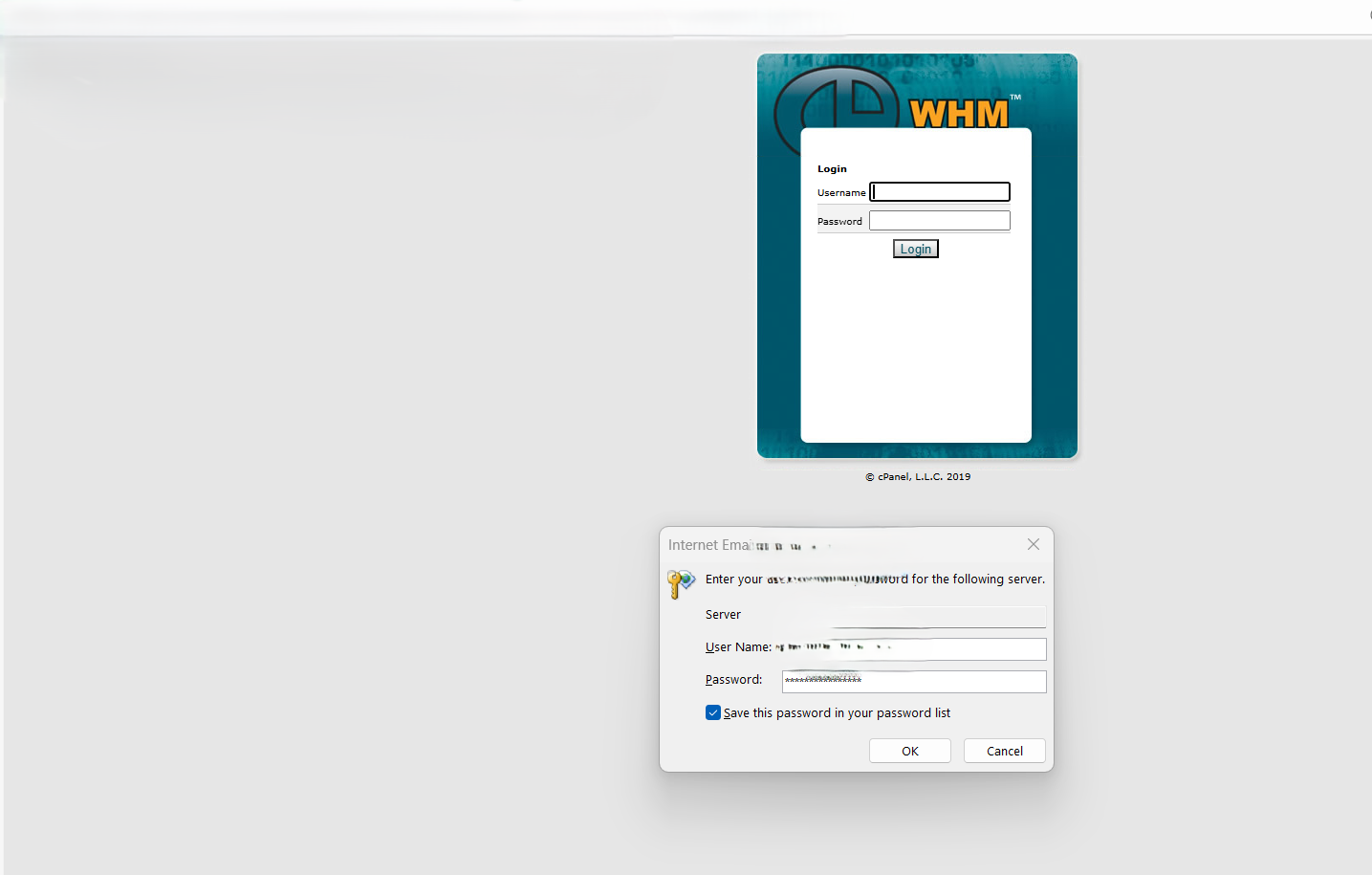
but for me whenever i tried to update it my email services stops and when i tried to open cPanel it shows me 2019 version of cPanel and i am unable to access my cPanel with the same root password as before there is definitely something wrong with these updates
0 -
 0
0 -
Alsheikh group1 i had noticed that too. domain.tld/webmail wasnt working at all but webmail.domain,tld was showing a very old login
0 -
There is definitely something wrong with these updates Cpanel needs to fixit
0 -
Alsheikh group1 - I haven't had any other reports of it showing an older login page, as that is very odd. Can you create a ticket so this can be investigated?
0 -
Hi cPRex,
We encountered this problem over three nights across a total of nine different servers.
On most servers, all services (cPanel, web server, MySQL, etc.) were down and could not be started.
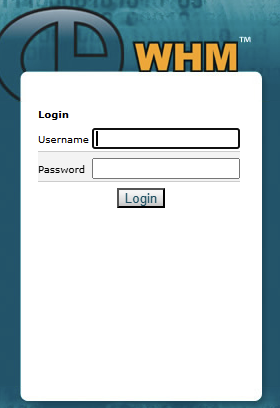
However, on two servers, it was still possible to restart the cPanel service, and we then saw that completely outdated WHM login screen, which immediately indicated a bug.
On all servers, we were able to resolve the issue using this command; some servers required a reboot for the services to function again:
/usr/local/cpanel/scripts/check_cpanel_pkgs --fix
Therefore, we have now changed all servers from Release to Stable so that we are no longer affected by this update bug.
This is definitely not an isolated incident; it's a HUGE problem in the current update that urgently needs to be fixed! Upgrading to version 132 is currently impossible and always results in non-functional servers and a complete system outage!
1 -
VCServer - I'm sorry to hear that! Are there any details in one of the update logs that show this?
I can confirm that if the update fails in a specific way it will revert to that older style login screen. What I can't confirm at this point is a specific issue with the update that is leading to this, as we haven't had someone submit a ticket with this exact error today.
If you can get me more data from the update logs on where the failure was I may be able to provide you with better information.
0 -
After the update failed, services like the web server and MySQL were no longer accessible.
However, logging in via SSH still worked. An attempt to restart the services resulted in the following error:
[root@server ~]# /scripts/restartsrv_cpsrvd
/scripts/restartsrv_cpsrvd: error while loading shared libraries: /usr/local/cpanel/3rdparty/perl/536/cpanel-lib/x86_64-linux/auto/Proc/FastSpawn/FastSpawn.so: cannot open shared object file: No such file or directory
[root@server ~]# /scripts/restartsrv_mysql
/scripts/restartsrv_mysql: error while loading shared libraries: /usr/local/cpanel/3rdparty/perl/536/cpanel-lib/x86_64-linux/auto/Proc/FastSpawn/FastSpawn.so: cannot open shared object file: No such file or directory
Here is the complete log for the failed update. The update aborted at 17% with a critical warning. I hope this helps you determine the cause and resolve the problem.
cpanel-perl-536-proc-daemon cpanel-perl-536-libxml-perl cpanel-perl-536-html-tagset cpanel-perl-536-simple-accessor cpanel-perl-536-io-stty
[2025-12-10 01:46:44 +0100]   warning: /etc/mail/spamassassin/v320.pre saved as /etc/mail/spamassassin/v320.pre.rpmsave
[2025-12-10 01:46:44 +0100]   warning: /etc/mail/spamassassin/local.cf saved as /etc/mail/spamassassin/local.cf.rpmsave
[2025-12-10 01:46:59 +0100]   Maximum sync children set to 16 based on 36927M available memory.
[2025-12-10 01:47:00 +0100]   Using mirror '184.94.200.4' for host 'httpupdate.cpanel.net'.
[2025-12-10 01:47:00 +0100]   Using mirror '184.94.200.4' for host 'httpupdate.cpanel.net'.
[2025-12-10 01:47:00 +0100]   Using mirror '184.94.200.4' for host 'httpupdate.cpanel.net'.
[2025-12-10 01:47:01 +0100]   Using mirror '184.94.200.3' for host 'httpupdate.cpanel.net'.
[2025-12-10 01:47:01 +0100]   Using mirror '184.94.200.3' for host 'httpupdate.cpanel.net'.
[2025-12-10 01:47:01 +0100]   Using mirror '184.94.200.3' for host 'httpupdate.cpanel.net'.
[2025-12-10 01:47:02 +0100]   Using mirror '184.94.200.2' for host 'httpupdate.cpanel.net'.
[2025-12-10 01:47:02 +0100]   Using mirror '184.94.200.2' for host 'httpupdate.cpanel.net'.
[2025-12-10 01:47:02 +0100]   Using mirror '184.94.200.2' for host 'httpupdate.cpanel.net'.
[2025-12-10 01:47:03 +0100]   Using mirror '89.222.122.161' for host 'httpupdate.cpanel.net'.
[2025-12-10 01:47:03 +0100]   Using mirror '89.222.122.161' for host 'httpupdate.cpanel.net'.
[2025-12-10 01:47:03 +0100]   Using mirror '89.222.122.161' for host 'httpupdate.cpanel.net'.
[2025-12-10 01:47:04 +0100]   Using mirror '89.222.122.163' for host 'httpupdate.cpanel.net'.
[2025-12-10 01:47:04 +0100]   Using mirror '89.222.122.163' for host 'httpupdate.cpanel.net'.
[2025-12-10 01:47:04 +0100]   Using mirror '89.222.122.163' for host 'httpupdate.cpanel.net'.
[2025-12-10 01:47:05 +0100]   Using mirror '89.222.122.167' for host 'httpupdate.cpanel.net'.
[2025-12-10 01:47:05 +0100]   Using mirror '89.222.122.167' for host 'httpupdate.cpanel.net'.
[2025-12-10 01:47:05 +0100]   Using mirror '89.222.122.167' for host 'httpupdate.cpanel.net'.
[2025-12-10 01:47:06 +0100]   Using mirror '195.214.233.44' for host 'httpupdate.cpanel.net'.
[2025-12-10 01:47:06 +0100]   Using mirror '195.214.233.44' for host 'httpupdate.cpanel.net'.
[2025-12-10 01:47:06 +0100]   Using mirror '195.214.233.44' for host 'httpupdate.cpanel.net'.
[2025-12-10 01:47:07 +0100]   Using mirror '195.214.233.43' for host 'httpupdate.cpanel.net'.
[2025-12-10 01:47:07 +0100]   Using mirror '195.214.233.43' for host 'httpupdate.cpanel.net'.
[2025-12-10 01:47:07 +0100]   Using mirror '195.214.233.43' for host 'httpupdate.cpanel.net'.
[2025-12-10 01:47:08 +0100]   Using mirror '195.214.233.45' for host 'httpupdate.cpanel.net'.
[2025-12-10 01:47:08 +0100]   Using mirror '195.214.233.45' for host 'httpupdate.cpanel.net'.
[2025-12-10 01:47:08 +0100]   Using mirror '195.214.233.45' for host 'httpupdate.cpanel.net'.
[2025-12-10 01:47:09 +0100]   Using mirror '184.94.200.5' for host 'httpupdate.cpanel.net'.
[2025-12-10 01:47:09 +0100]   Using mirror '184.94.200.5' for host 'httpupdate.cpanel.net'.
[2025-12-10 01:47:09 +0100]   Using mirror '184.94.200.5' for host 'httpupdate.cpanel.net'.
[2025-12-10 01:47:10 +0100]   Using mirror '184.94.200.4' for host 'httpupdate.cpanel.net'.
[2025-12-10 01:47:10 +0100]   Using mirror '184.94.200.4' for host 'httpupdate.cpanel.net'.
[2025-12-10 01:47:10 +0100]   Using mirror '184.94.200.4' for host 'httpupdate.cpanel.net'.
[2025-12-10 01:47:12 +0100] ***** DIE: Failed to download signature at URL 'http://httpupdate.cpanel.net/RPM/11.130/centos/8/x86_64/sha512.asc'.
[2025-12-10 01:47:12 +0100] ***** DIE: Failed to download signature at URL 'http://httpupdate.cpanel.net/RPM/ng/noarch/sha512.asc'.
[2025-12-10 01:47:12 +0100] ***** DIE: Failed to download signature at URL 'http://httpupdate.cpanel.net/RPM/11.132/centos/8/x86_64/sha512.asc'.
[2025-12-10 01:47:12 +0100] W exit level [die] [pid=233064] (Failed to download signature at URL 'http://httpupdate.cpanel.net/RPM/11.130/centos/8/x86_64/sha512.asc'.) Cpanel::HttpRequest /usr/local/cpanel/scripts/updatenow.static-cpanelsync 54218 at /usr/local/cpanel/scripts/updatenow.static-cpanelsync line 29275.
[2025-12-10 01:47:12 +0100] W exit level [die] [pid=233066] (Failed to download signature at URL 'http://httpupdate.cpanel.net/RPM/ng/noarch/sha512.asc'.) Cpanel::HttpRequest /usr/local/cpanel/scripts/updatenow.static-cpanelsync 54218 at /usr/local/cpanel/scripts/updatenow.static-cpanelsync line 29275.
[2025-12-10 01:47:12 +0100] W exit level [die] [pid=233065] (Failed to download signature at URL 'http://httpupdate.cpanel.net/RPM/11.132/centos/8/x86_64/sha512.asc'.) Cpanel::HttpRequest /usr/local/cpanel/scripts/updatenow.static-cpanelsync 54218 at /usr/local/cpanel/scripts/updatenow.static-cpanelsync line 29275.
=> Log closed Wed Dec 10 01:47:12 2025
=> Log closed Wed Dec 10 01:47:12 2025
=> Log closed Wed Dec 10 01:47:12 2025
[2025-12-10 01:47:12 +0100] ***** FATAL: No digest data for cpanel-ng-whm-transfer-cpanel-account-132.22.4-1.cp11132.noarch.rpm
[2025-12-10 01:47:12 +0100]   The Administrator will be notified to review this output when this script completes
[2025-12-10 01:47:12 +0100] ***** FATAL: Error pre-installing Perl packages when switching major versions: No digest data for cpanel-ng-whm-transfer-cpanel-account-132.22.4-1.cp11132.noarch.rpm at /usr/local/cpanel/scripts/updatenow.static-cpanelsync line 55824.
[2025-12-10 01:47:12 +0100] . Aborting upgrade to avoid an unstable system.
[2025-12-10 01:47:12 +0100]   The Administrator will be notified to review this output when this script completes
[2025-12-10 01:47:12 +0100]   Removing staged files and directories for binaries/linux-c8-x86_64, cpanel
[2025-12-10 01:47:12 +0100]   Removing staged files and directories for jupiter
=> Log closed Wed Dec 10 01:47:12 2025
[2025-12-10 01:47:12 +0100]   17% complete
[2025-12-10 01:47:12 +0100] E Running `/usr/local/cpanel/scripts/updatenow --upcp --log=/var/cpanel/updatelogs/update.232079.600946014.1759318101.log` failed, exited with code 1 (signal = 0)
@cPRex: You can download the log file using the following link; I'll leave it online until tomorrow:
https://cdnservermanager.b-cdn.net/cpanel/update.232079.600946014.1759318101.logThis server has the following system environment:
CloudLinux 8.10 / cPanel 130.0.16 / LiteSpeed / Imunify360
The other affected servers were all CloudLinux 9 systems, also running cPanel 130.0.16 + LiteSpeed + Imunify360.
0
Please sign in to leave a comment.
Comments
54 comments