High CPU Usage & PHP-FPM Resource Exhaustion on VPS

Our website is a large-scale production website running WooCommerce and LearnDash LMS, with 100,000+ registered users and completed orders. The database size is currently over 17 GB. Our VPS Resources are 8 vCPU cores, and 32 GB RAM.
We are repeatedly experiencing 100% CPU utilization that takes the website offline. The issue appears to be PHP-FPM–related and remains unresolved despite prior configuration optimizations.
Please advise on optimal PHP-FPM and cPanel tuning to prevent CPU exhaustion and confirm whether this is a known high-concurrency issue.
PHP-FPM Configuration
pm = ondemand
pm.max_children = 150
pm.max_requests = 400
pm.max_spare_servers = 40
pm.min_spare_servers = 20
pm.process_idle_timeout = 50
pm.start_servers = 20
pm.status_path = /status
request_slowlog_timeout = 1
Database Configuration
[mysqld]
performance-schema=1
innodb_buffer_pool_size=20G
innodb_buffer_pool_instances=
max_allowed_packet=512M
open_files_limit=200000
innodb_file_per_table=1
plugin-load-add=auth_socket.so
unix_socket=OFF
max_connections=150
key_buffer_size=134217728
query_cache_size=0
tmp_table_size=256M
sort_buffer_size=262144
max_heap_table_size=256M
innodb_log_buffer_size=512M
innodb_log_file_size=4G
join_buffer_size=262144
innodb_sort_buffer_size=
read_buffer_size=131072
read_rnd_buffer_size=262144
I look forward to expert recommendations to help us stabilize the server and avoid recurring high CPU usage. Thank you.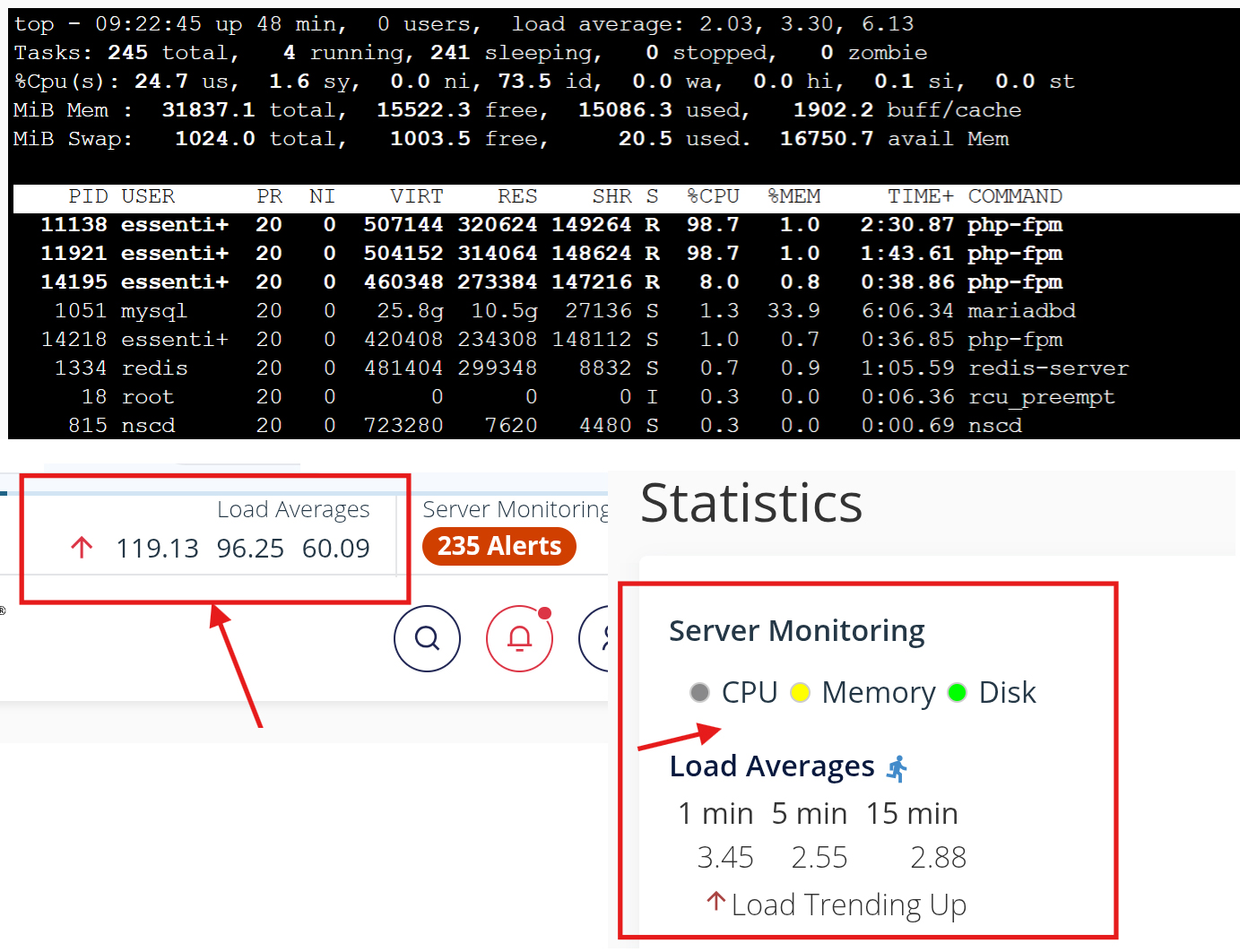
-

Hey there! There isn't going to be a specific recommendation I can provide that will make the situation better, as all servers are unique. It also looks like the "top" output and the WHM screenshot showing the high load are different so I can't tel anything conclusive from those.
What does "top" look like during one of the periods of high load?
0 -
Thank you for the response. The screenshots were taken at slightly different moments, which is why they may not appear to align perfectly. I will monitor the server closely and capture the exact "top" output at the time the CPU spikes to 100%.
Today, the Server works all good, as I updated PHP version from 8.2 to 8.4, and change the values of:
pm.max_children = from 120 to 150
pm.max_requests = from 500 to 400
pm.process_idle_timeout = from 10 to 50
But yesterday (and earlier), it went high many times, and I did PHP-FPM restart to keep it back to normal, multiple times. I also feel that there should be a need to optimize the Database and indexing the tables (maybe that will be helpful).0 -
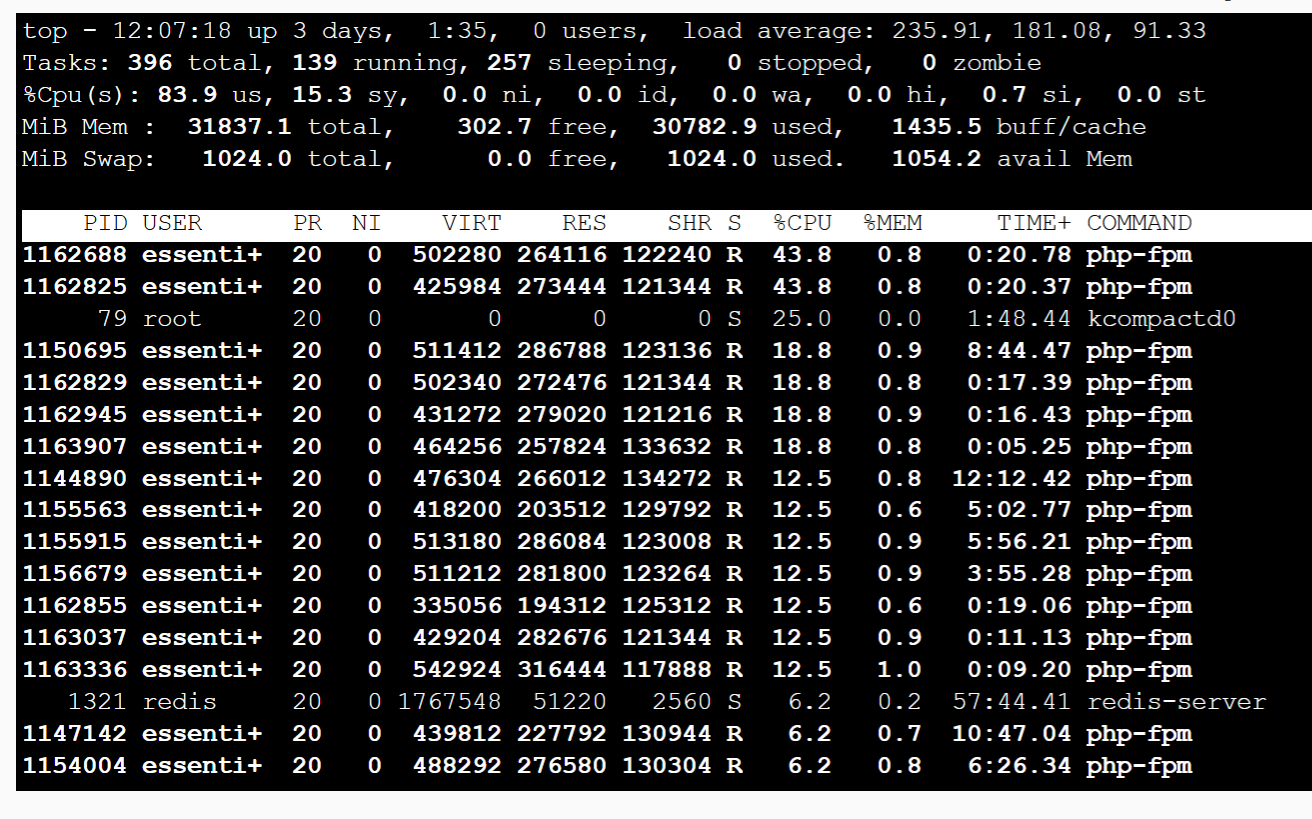
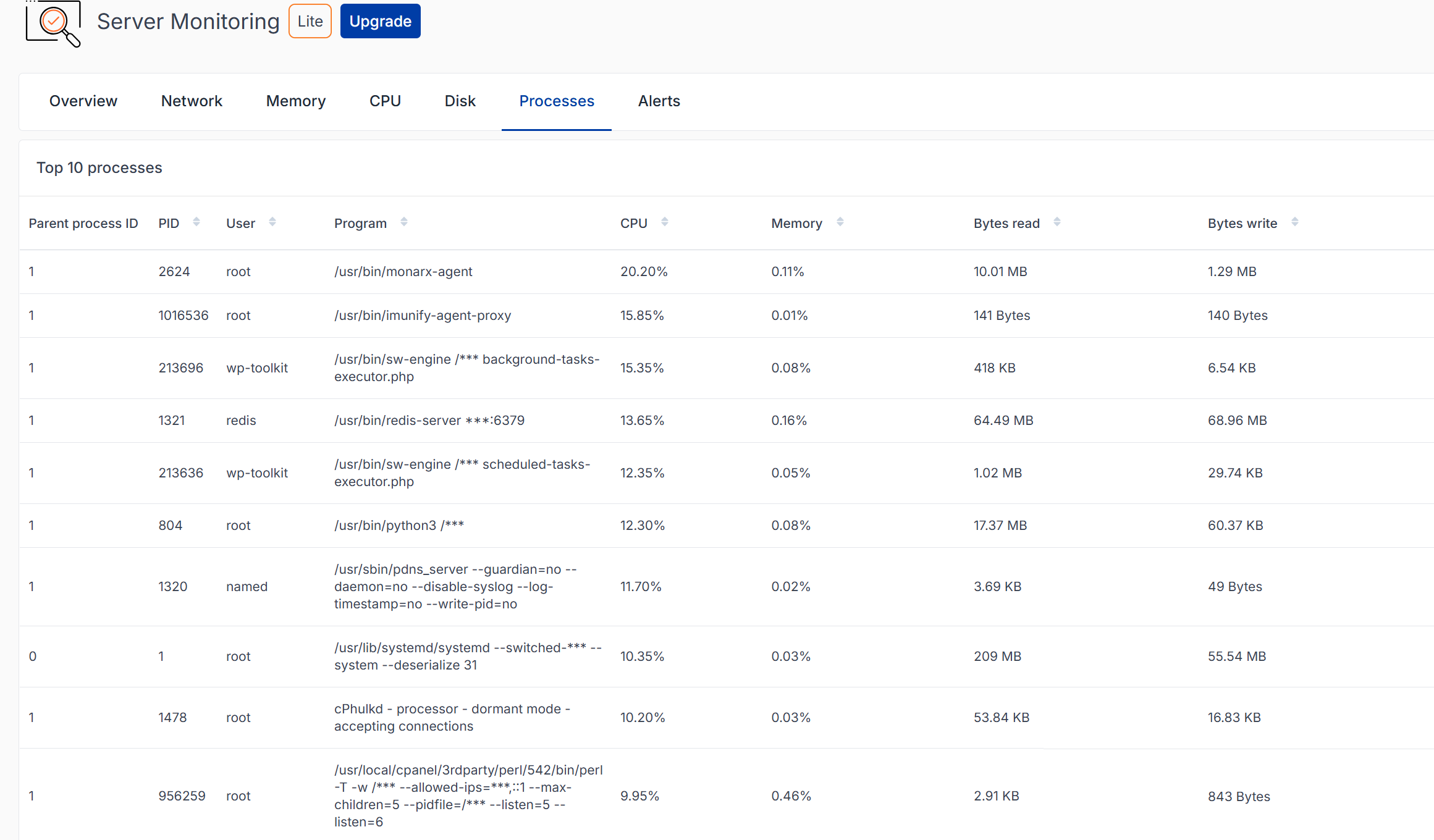
Hi cPRex, this happened just now, can you please have a look and suggest something if you see anything, please. (It was working fine in the last 3 days). Now, I've restarted the PHP-FPM to make it down. Thank you.
 0
0 -
Thanks for sharing those screenshots. This is showing that your system is completely out of both CPU and RAM resources, so the server is completely overloaded.
You mentioned that this is a high traffic site, but is it possible there is a DoS happening that is causing this load? In the past, has the site been working well with the same configurations or has the hosting environment recently changed?
Ultimately, there likely isn't going to be much I can recommend in this situation since the server is just out of resources, so a configuration adjustment is likely not the answer.
0
Please sign in to leave a comment.
Comments
4 comments