CFS being reported as down by LFD after update

Hi,
After a month of, "couldn't fine the upload url" for the last month, I finally got upgraded to the new fork of CSF - csf: v16.10. Or, at least I'm not getting the failed update url warnings any longer. Thank you very much for that.
However, even though the application displays Firewall Status: Enabled and Running
I am getting these warnings every 5 minutes: Is there a something in the config that needs to change?
Thanks.
The service “lfd” appears to be down.

Server

vps.me.com

Primary IP Address

xx.102.136.100

Service Name

lfd

Service Status

failed ⛔

Notification

The service “lfd” appears to be down.

Service Check Method

The system’s command to check or to restart this service failed.

Number of Restart Attempts

345

Startup Log

Mar 04 12:34:21 vps.me.com systemd[1]: Starting ConfigServer Firewall & Security - lfd...
Mar 04 12:34:22 vps.me.com systemd[1]: Started ConfigServer Firewall & Security - lfd.
Mar 04 12:34:22 vps.me.com systemd[1]: lfd.service: Main process exited, code=killed, status=9/KILL
Mar 04 12:34:22 vps.me.com systemd[1]: lfd.service: Failed with result 'signal'.
-

Hey hey! That notification seems to be correct as the service isn't starting. Do you see anything interesting if you run "service csf restart" on the machine? I can confirm this is not a widespread issue after the recent updates.
0 -
Thanks cPRex,
nothing interesting,
[root@vps ~]# service csf restart
Redirecting to /bin/systemctl restart csf.service
[root@vps ~]#
emails still continue
Server vps.me.com Primary IPAddress xx.xx.xx.xx Service Name lfd Service Status failed ⛔ Notification The service “lfd” appears to be down. Service Check Method The system’s command to check or to restart this service failed. Number of Restart Attempts 600 Startup Log Mar 05 12:09:11 *** systemd[1]: Starting ConfigServer Firewall & Security - lfd...
Mar 05 12:09:11 *** systemd[1]: Started ConfigServer Firewall & Security - lfd.
Mar 05 12:09:12 *** systemd[1]: lfd.service: Main process exited, code=killed, status=9/KILL
Mar 05 12:09:12 *** systemd[1]: lfd.service: Failed with result 'signal'.Memory Information Used 1.6 GB Available 1.96 GB Installed 3.56 GB Load Information 0.15 0.12 0.14 Uptime 29 days, 15 hours, 36 minutes, and 44 seconds IOStat Information avg-cpu: %user %nice %system %iowait %steal %idle 2.08 0.12 1.76 0.16 0.29 95.59 Device tps kB_read/s kB_wrtn/s kB_dscd/s kB_read kB_wrtn kB_dscd loop0 0.21 0.67 2.25 2.14 1724715 5763246 5491348 vda 12.76 338.76 102.38 91.67 867849144 262270516 234845832 Top Processes PID Owner CPU% Memory % Command 933 root 2.01 0.25 /usr/sbin/NetworkManager --no-daemon 3690947 cpanelconnecttrack 0.23 0.12 /usr/local/cpanel/3rdparty/sbin/p0f -i any -u cpanelconnecttrack -d -s /var/cpanel/userhomes/cpanelconnecttrack/p0f.socket less 400 and not dst port 80 and not dst port 443 and tcp[13] & 8==0 2001364 mysql 0.21 7.04 /usr/sbin/mariadbd 3912525 nobody 0.04 1.18 /usr/sbin/httpd -k start 3690780 root 0.03 0.22 cpsrvd (SSL) - dormant mode - accepting connections 0 -
I would say it's time to make a ticket since I can't reproduce this on my personal system or a test server, and I don't have any other reports. There has to be something happening that is specific to your machine.
0 -
Did just notice that the restart command shut down CSF.
After running it, the interface says
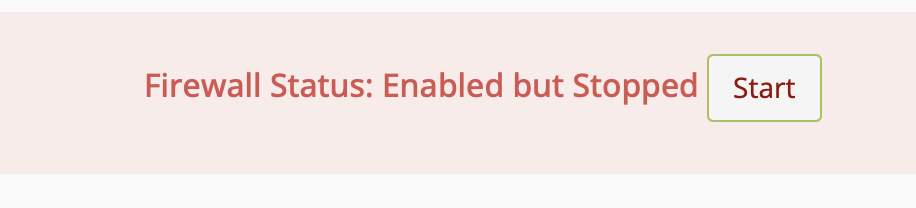
clicked Start, and
 0
0 -
Running the restart command shouldn't have stopped the service, so I'm wondering if there was a hung process that was keeping the LFD notifications happening and now that has been reset? Obviously I'm just guessing, but that seems like the most likely scenario here.
Let me know if you're still seeing the failure notifications in 10 minutes.
0 -
Still getting the emails at every 5 minutes.
Trying to open a ticket
0 -
Once you get that ticket number let me know and I can follow along!
0 -
I had to open a ticket at my provider, seems I can no longer open them at cPanel …
But I will let you know what I find out.
0 -
Let me know how it goes!
0 -
Ive been getting the same issue since Cpanel took over the install of CSF. Firewall says enabled and running, and if I do restart on LFD says its started ... but getting about 30 notifications a day its down. Im thinking its running, but for some reason monitoring is seeing it as down even though its not.
0 -
FWIW, my provider said,
During our initial checks, we noticed that there was an error on the server logs for LFD referencing a missing configuration file that effectively stopped the service from running. The missing configuration file may have been due to the update and our system administrators were able to apply a fix.
One can only assume that means they replaced a corrupted, or missing config file.
0 -
jimlongo - it would be good to know which log they checked that showed the missing file.
0 -
cPRex - I'll see what I can do.
0 -
cPRex - I don't think this is going to prove very useful, but they responded when asked about the log files and what config file might be missing
We usually check several log files to make sure we are working on the right issue. These are usually the files and status commands :
/var/log/messages/
dmesg
systemctl status lfd
/var/log/lfd.logIf you want I can give you a name at the provider, maybe you want to contact them directly.
0 -
Even though it's generic, it's still something.
Brian Baldwin - do you see anything in any of those locations?
0 -
This is happening to me too (my cpanel subscription is now through namecheap) on my VPS. If there are instructions for what to look for to help fix this, I am happy to provide whatever I can. I am very tired of getting 500 emails over a weekend...
0 -
Since this seems to be happening to a few users, are any of you able to submit a ticket? Finding the root cause might help others.
0 -
Because my cpanel license is through namecheap, the cpanel support will not permit me to send in a technical support ticket :( I'll keep watch on this thread and cross my fingers for a solution
0 -
cPRex
It's attempting to find the file .spamassassin which does not exist. Any chances you can provide info for how to rebuild it or provide an old default I can load?
Okay, after more digging....
The directory /temp/ does not exist. It looks like the lfd is supposed to reference /tmp/! That seems like a source code error maybe?
/tmp/.spamassassin* exists for me as /tmp/.spamassassin250235GlGGzYtmp/ and /tmp/.spamassassin816007bSouLetmp/
this is from lfd.log and this message repeats every 5 minutes as determined by the csf check time in csf.conf. Default is 5 minutes. I changed it to 60 to save a little bit of sanity and restarted csf+lfd
Now getting this message every 60 minutes or so...
"Mar 11 20:52:19 server1 lfd[6838]: daemon stopped
Mar 11 20:57:24 server1 lfd[7201]: daemon started on server1.######.com - csf v16.11 (cPanel)
Mar 11 20:57:24 server1 lfd[7201]: LF_APACHE_ERRPORT: Set to [2]
Mar 11 20:57:24 server1 lfd[7201]: Restricting syslog/rsyslog socket acccess to group [mysyslog]...
Mar 11 20:57:24 server1 lfd[7201]: Main Process: Cpanel::Exception::IO::FileNotFound/(XID pw8d74) The system cannot find a file named “/temp/.spamassassin*”.
at /usr/local/cpanel/Cpanel/LoadFile.pm line 73.
Cpanel::LoadFile::_open("/temp/.spamassassin*") called at /usr/local/cpanel/Cpanel/LoadFile.pm line 121
Cpanel::LoadFile::_load_r(CODE(0xc34db0), "/temp/.spamassassin*") called at /usr/local/cpanel/Cpanel/LoadFile.pm line 103
Cpanel::LoadFile::load("/temp/.spamassassin*") called at /usr/local/cpanel/Cpanel/Slurper.pm line 46
Cpanel::Slurper::read("/temp/.spamassassin*") called at /usr/local/csf/lib/ConfigServer/Slurp.pm line 175
eval {...} called at /usr/local/csf/lib/ConfigServer/Slurp.pm line 175
ConfigServer::Slurp::slurpee("/temp/.spamassassin*") called at /usr/local/csf/lib/ConfigServer/Slurp.pm line 134
ConfigServer::Slurp::slurp(undef) called at /usr/sbin/lfd line 365
main::run("main") called at /usr/sbin/lfd line 85"0 -
I've passed that on to the team, but I'd still like to have access to a system with this issue so we could confirm the behavior on a system where this is happening, since it isn't affecting all CSF installations.
0 -
cPRex - is there a way to grant access to my WHM without submitting a cpanel ticket since cpanel is purchased 3rd party through name cheap?
0 -
Unfortunately no, but they could always escalate the ticket to us.
0 -
I tried that and they wanted to make me pay to do it. I'll wait to see if a solution gets posted here then.
0 -
So Knownhost, my provider, dove into this for me today after I hadn't seen much as a fix for it on my own. This is what they found -
Mar 13 09:53:04 light**** lfd[2713145]: Main Process: Cpanel::Exception::IO::FileNotFound/(XID 8qx859) The system cannot find a file named “/etc/csf/support.ignore” at /usr/local/cpanel/Cpanel/ LoadFile.pm line 73. I have commented out the line referring to support.ignore and I was able to get LFD restarted:
0 -
Brian Baldwin
Did you comment out the entire line 73? Can you copy/paste the line you commented out?
0 -
For anyone else following this thread in the future, we fixed it with this:
Commented out the "Include /temp/.spamassassin*" line in the /etc/csf/csf.ignore file since this path never exists usually.
0
Please sign in to leave a comment.
Comments
26 comments