Can't find AutoSSL option in cPanel

Hi everyone, how's it going? A client asked me how to disable AutoSSL for one of their domains. I logged into their cPanel to take a look and couldn't find the option. I see that the SSL section has changed a lot since the last time I checked.
How can a client exclude AutoSSL for a domain and/or subdomain now?
-

Hey hey! The best answer right now is "wait until tomorrow" - we're pushing an update tonight to restore that functionality in the new interface.
If you poke around you'll find some alternative methods, but I can't recommend them, especially with the official fix happening later tonight.
0 -
Well, I’m glad to know I’m not going senile. I was a bit embarrassed to ask about something I knew was somewhere but couldn’t find. 😆
0 -
It's all good - it caught me off guard as well the first time!
That update should be going out later today.
0 -
Actually, it looks like it was in the process of being released while I sent that last message, so the update is out now!
0 -
Hi!
I've updated from 134.0.16 to 134.0.17 and I don't see the AutoSSL option. Could you guide me on where to find it?
Thanks!
0 -
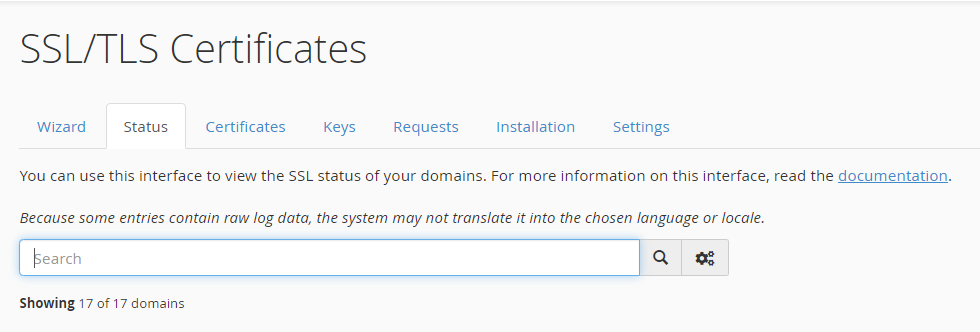
There isn't going to be a separate page for the AutoSSL tool - it's all under the SSL/TLS page inside cPanel now.
0 -
Yes, that's what I thought, but I checked tab by tab and couldn't find how to disable it.
 1
1 -
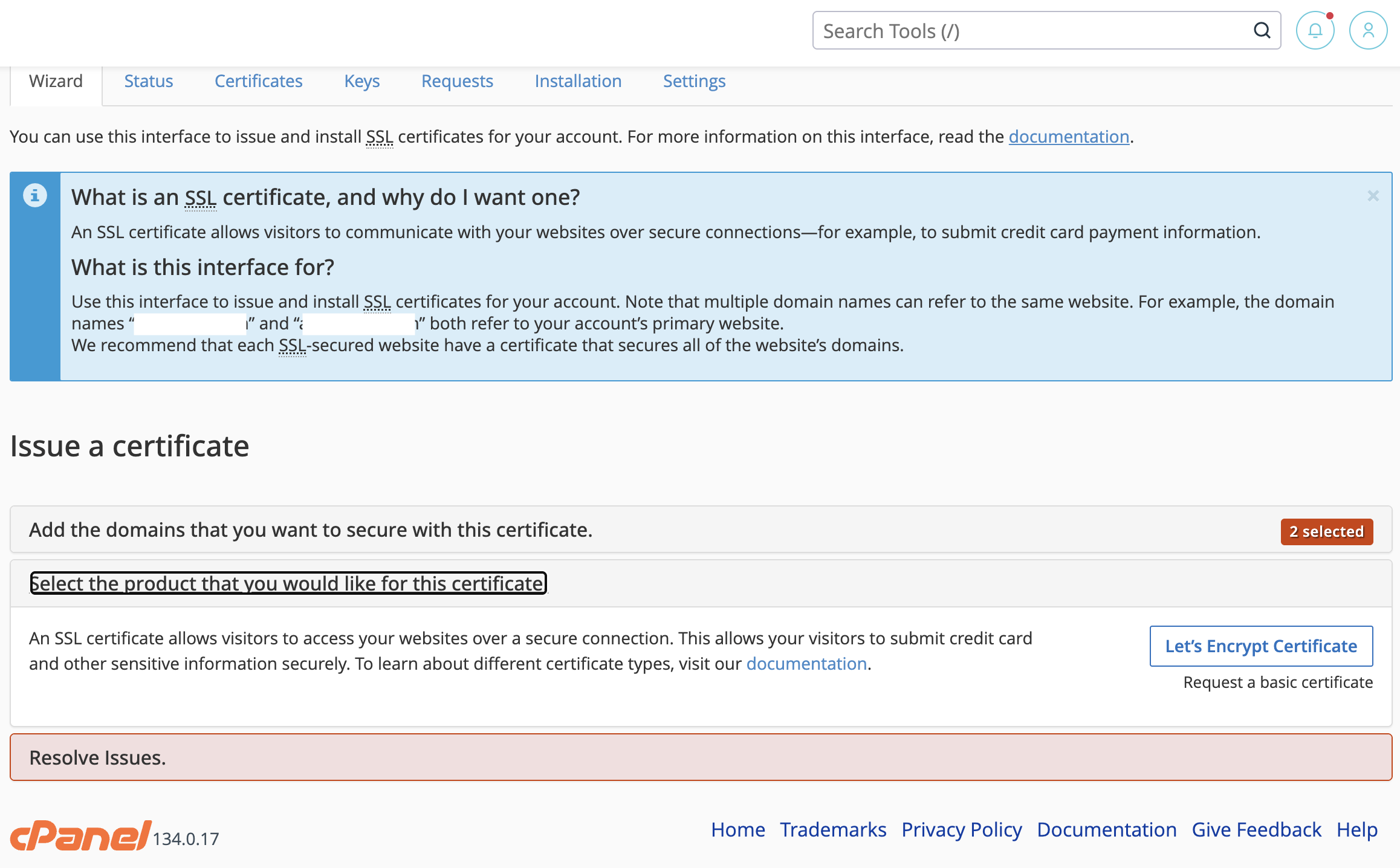
If you use the wizard you should be able to select which domains are and are not included in the new certificate. Is that not working?
0 -
No, look, I'll send you a screenshot. I select the two domains where I want to disable AutoSSL (because they already have a certificate elsewhere), and the only option that appears in the wizard is to select Let's Encrypt.
 1
1 -
I'll chime in too.. 134.0.17 is NOT showing Exclude tick under Accounts. The Wizard actually tries updating it. No options at all under Status page. Just a list of the installed (or failed) certs.
0 -
I'm looking into this now and I'll post an update once I have more details.
0 -
6 hours! Lot's of looking!! See anything? Thanks for the help : )
0 -
Soon! We're working on an official guide we can post instead of this thread being the source of truth for all users. I *think* it's happening tonight, but I'll post as soon as I know more.
0 -
Well...the answer definitely isn't what I was expecting:
https://support.cpanel.net/hc/en-us/articles/360050034234-How-do-you-exclude-a-domain-from-AutoSSL
Under the "134 and above" tab there's a way to make the buttons appear...but I was under the impression that the actual fix was to just have the buttons appear by default. I'll look into this more on Monday because I know I can't get any dev answers on the weekend, and I'll be sure to post once I know more.
0 -
Thanks. Why not just keep it as it was ? It worked.
0 -
Hi Rex, good morning! The panel.ini edit worked.
If you're going to keep the idea of leaving it disabled, perhaps this could be an additional option within AutoSSL,or Feature Manager in WHM.0 -
I've reached out to the SSL team to see if I can get more details about this and I'll be sure to post once I know more.
0 -
Thanks. A few clients have started to complain.
0 -
Unfortunately I'm not going to have any updates today - I'll post as soon as I know more.
0 -
The best option at this time would be to choose what SSL options you want in the interface using the /var/cpanel/panel.ini file - you may need to create this file if it isn't present on your machine. The options related to SSLs are the following, and you can choose from true or false for each:
[global]
ssl.autossl_in_unified = true|false
ssl.unified_interface = true|false
autossl.exclude_new_domains = true|false
0 -
Its quite sad that the "new & improved" interface is so much worse than the existing "legacy" working interface. I dont get how its "acceptable" to ask server owners to edit ini files to restore existing UI functionality
0
Please sign in to leave a comment.
Comments
21 comments