UPCP Cron Update and Release Tiers

I noticed now that my UPCP cron schedule has updated, as per image below.
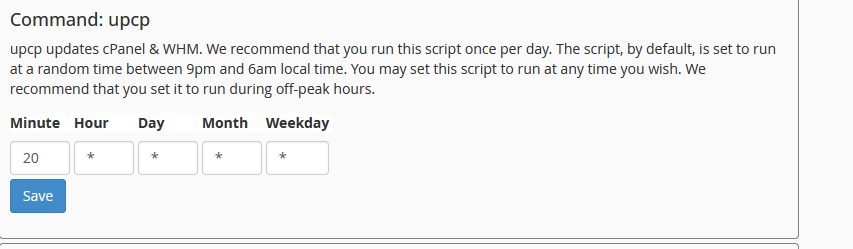
I suppose this is to be inline with "Implemented CPANEL-53412: WHM servers now apply current-major security releases within an hour by default, independent of the normal update schedule, while reducing hourly security-check overhead by skipping the TIERS.json signature download and verification when the file has not changed on the mirror. Control this with the new Security Updates option in WHM Update Preferences or the SECURITY_UPDATES key in /etc/cpupdate.conf".
Could we possibly get more information on how this will now work, because I noted this morning, that even though this cron is set to now run every hour it had not run the version (134.0.42 to 134.0.43) increment to the server? I did that manually now.
Will this hourly run also now potentially push issues to the server every hour? Because lately I have noted that cPanel release patches that break things and then they need to release a fix shortly thereafter.
I purposely selected STABLE on all my servers, so that I don't have to be constantly dealing with issues, but lately that has just been the opposite. Can we get back to the days when STABLE meant STABLE and the update has gone through all the other tiers and is working? I do of course appreciate security patches are a different story and need to get out ASAP.
-
On one of our servers I just ran:
crontab -l | egrep ucpc
There now seem to be two upcp crons. One that runs daily and one that runs hourly with the --security parameter. So I'd assume that means daily updates for cPanel (based on your tier) and thing things flagged as security updates done hourly.
Just my SWAG.
0 -

Hey guys! I do have a case created to fix the documentation for that feature, as the docs didn't get push when the update happened.
https://support.cpanel.net/hc/en-us/community/posts/41521854833303
0 -
Thanks cPRex
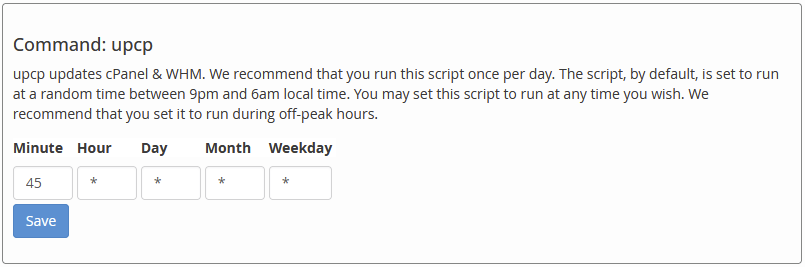
Should we not be able to manage both crons from "Configure cPanel Cron Jobs"? Currently we can only manage the hourly cron. If not the hourly cron, then perhaps this should be put back to manage the daily cron.
 0
0 -
We should probably get that added to that page, as that was likely an oversight. I've created case CPANEL-54380 to get that added to that page.
0
Please sign in to leave a comment.
Comments
4 comments