Roundcube if inserting images - Connection Error (Failed to reach the server)!

Roundcube Webmail 1.6.18
cPanel Version 136.0.37
OS CloudLinux v9.7.0
Hello, I'm having the following problem: whenever I insert images through the signature (Identities) in the settings, the error "Parameter value" appears.
If I create a new email (compose) and insert images, either from the signature or a new image directly into the text box, the email doesn't send and the error "Connection Error (Failed to reach the server)!" appears.
I've tried everything and can't find a solution.
Anyone else having the same problem?
Thank you
-

Hey there! I'm not able to reproduce this on my end as I get the green "Image successfully uploaded" message. Did you find anything in the Roundcube error log I mentioned in the other post?
0 -
Unfortunately, I don't have any error files in the /var/cpanel/roundcube/log/errors folder, nor any errors related to this situation in the home folders.
I only have one file that says Version "1.6.18.0.132-2.cp132 ~ el9".
If I send the image file as an attachment, the message is sent successfully, but if I insert the image file directly into the HTML text, nothing works and the message is not sent; it only gives the red error "Connection Error (Failed to reach the server)!"
In Firefox errors, as a developer I can see the following:
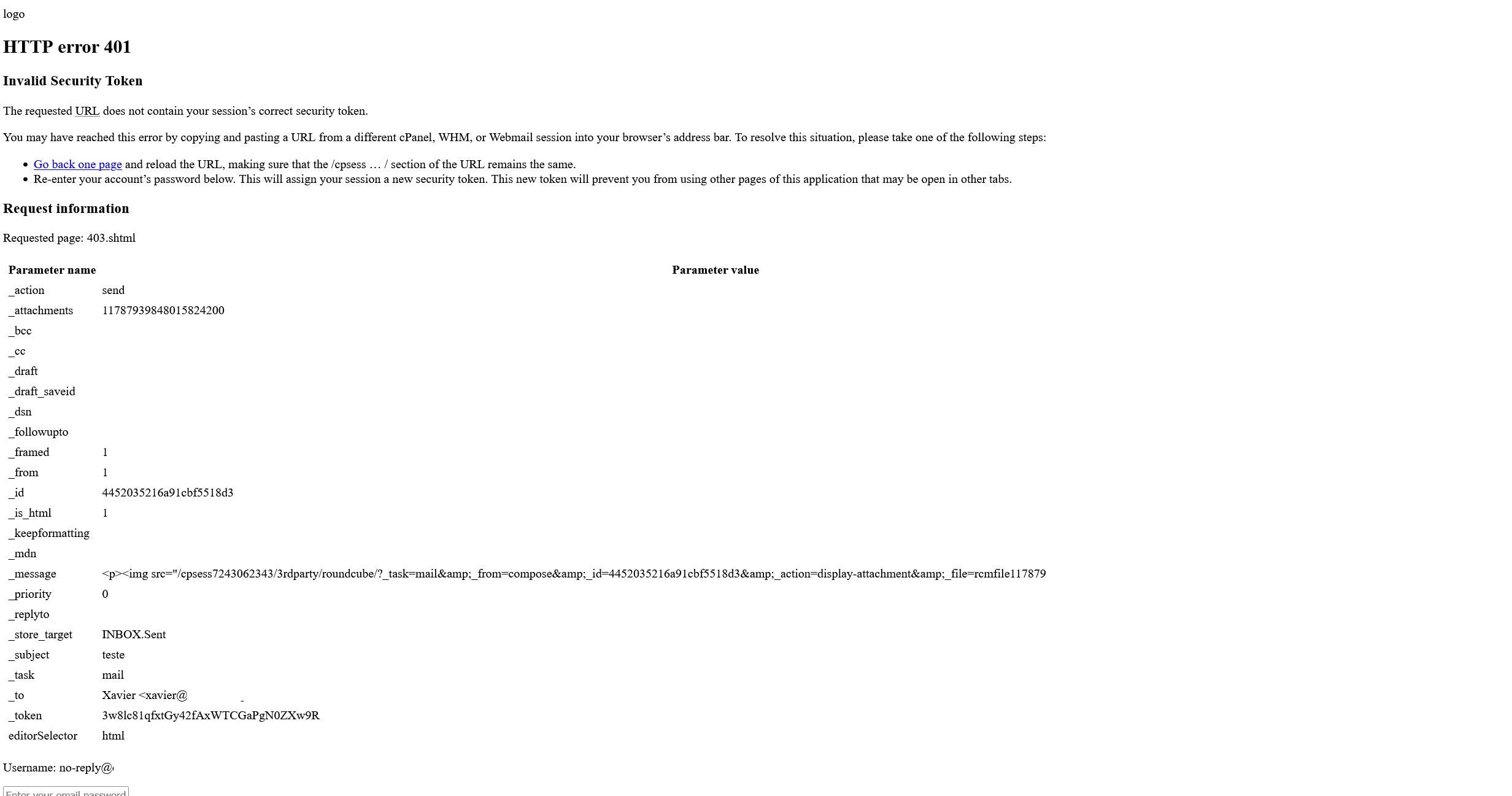
I only deleted the domain to avoid exposing it publicly here.
0 -
Just to confirm - the issue is *not* happening when you upload the image to the Signature section, only when you try and send an email after you've created that signature? Is that correct?
0 -
The problem also occurs when inserting the image into the signature, but for example, if a signature with an image already exists, when you try to send an email with that signature, it appears clearly but fails and the email is not sent.
0 -
A good first step would be to check whether the issue is related to Roundcube configuration, PHP limits, or cPanel/CloudLinux settings, especially since it only appears when images are involved.
I’d check the browser’s developer console and Roundcube logs for the exact request that fails. Also verify PHP
upload_max_filesize,post_max_size, and any ModSecurity rules that might be blocking the image upload or request. Testing with a very small image can help determine whether it is size-related.Since this is happening in both signatures and the compose window, I’d also compare the behavior with a plain-text email. If text emails send normally but emails containing images fail, that should narrow the problem down considerably.
0 -
Hello. I've already done all the tests possible and imaginable, for example, I tested an image with 1.41 KB and the problem persists. But if it's just text, it works perfectly fine.
I even saw a rule in ModSecurity that gave an error, but I disabled it and the problem continues, so I'd say it shouldn't be related, as you can see in the image I'm going to post. 0
0 -
Look in modsecurity again. Oftentimes when a rule is triggered and you exempt it, the rules are able to then be processed further and then another rule triggers.
0 -
I managed to at least find out where the problem is coming from. I installed the old version of LiteSpeed 6.3.5 (build 7) and it worked immediately. The version I was using during the problem was 6.3.6 (build 2).
It would be good if someone with the same versions could test this problem. For now, I'll have to revert to the old version until an update comes out and I can test it again.
Thank you all for your help.
Best regards.0 -
Hello everybody,
After racking my brain for a long time, I managed to figure out what was causing this error. I disabled the "rules/REQUEST-941-APPLICATION-ATTACK-XSS.conf" rule in ModSecurity. I should point out that I already have the new version 6.3.7 of LiteSpeed and the problem persists, so to get the latest version of LiteSpeed working I had to disable this rule. I hope it will be fixed or verified in the future.
Best regards.
0
Please sign in to leave a comment.
Comments
9 comments