Missing /not working .htaccss in one account (Wordpress installation)

Hello,
we have two accounts:
The main account, there are .htaccess files and RewriteEngine commands are working since years.
Then we made a second account (same package as above) and installed Worpress with Cpanels own Tool. Then we recognized with FTP access, that no .htaccess files at all are generated below /wordpress dir.
As soon as we manually copied .htaccess files there, they are not recognized.
What could be the problem?
-

Hey there! I'm wondering if your FTP connection is configured to not show hidden files. You can double-check this with the cPanel >> File Manager tool here: https://support.cpanel.net/hc/en-us/articles/5085107370135-How-to-show-hidden-files-in-cPanel-File-Manager
but .htaccess, or any file that starts with a "." is a hidden file by default.
Without the .htaccess file in place WordPress wouldn't work properly, so I'm guessing it is there but just can't be seen by that client.
0 -
Hello,
thanks. But i am connecting via FTP client, not via built-in file manager.
Is there also a setting for ftp connections?
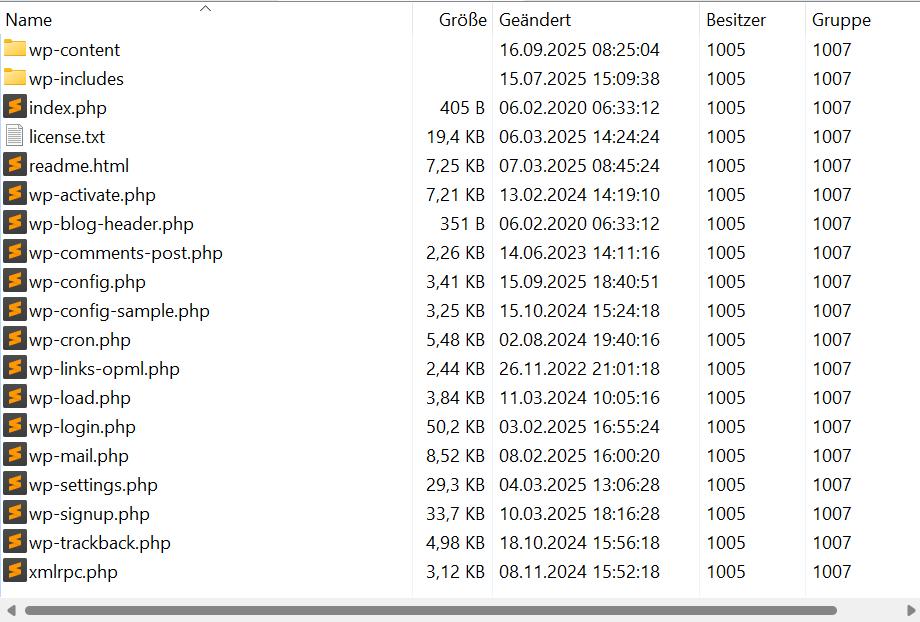
EDIT: When i navigate one level higher, there the .htaccess files are there and visible.
But not below wordpress dir.
So, does the CPANEL Wordpress installer has a "special routine" not to use/install .htaccess files?
0 -
No, the cPanel installer includes a .htaccess file in every installation. If you manually check this on the command line do you also not see the .htaccess file there?
0 -
Hello,
no, there is no .htaccess file
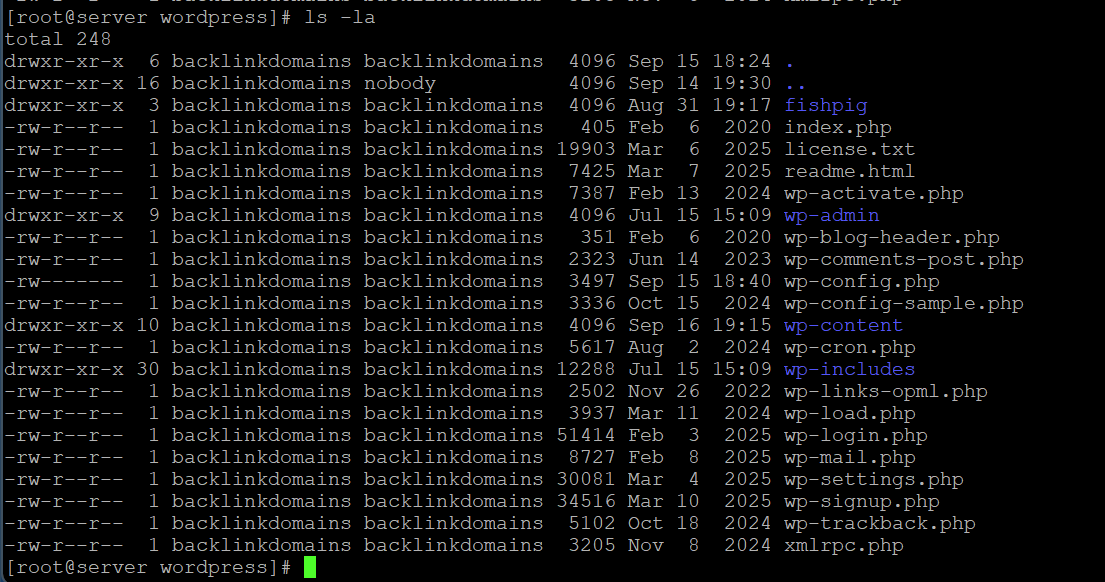 -1
-1 -
That's incredibly odd that it just wouldn't get created. At this point it would likely be best to create a ticket so the WordPress creation can be tested directly on your server.
0 -
You must use:
ls -la
instead of
ls -lthat "a" means "do not ignore entries starting with ."
0 -
quietFinn - Good catch! If that still doesn't show the .htaccess, I'd create that ticket.
0 -
image updated...still not there. What is the content of this htaccess, and: its the only one in this folder, or also should exit in subfolders?
0 -
I would expect there to be a .htaccess anywhere there is a WordPress installation - whatever directly is the top level of the WordPress install.
For example, if you installed a site at domain.com/blog I would expect your /blog directory to have a .htaccess. If you installed a separate blog at domain.com/other-blog, I would expect /other-blog to also have a unique .htaccess file.
0 -
Hello,
Mod_rewrite ist enabled globally. Ist there an Option (Not) ro enabled it for a dedicated Account.Trying Re-saving from wp fails
0
Please sign in to leave a comment.
Comments
10 comments